Best Minecraft Servers Bedrock Players Can Join (2026)
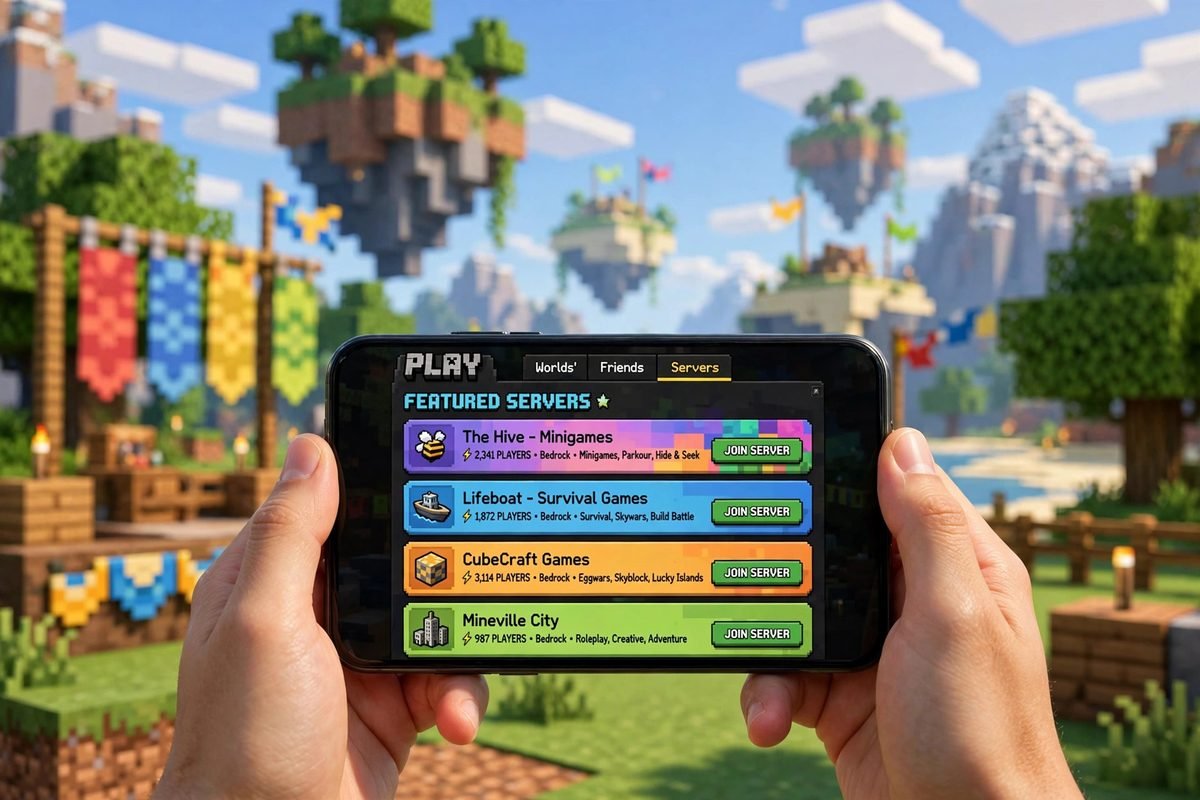
If you play on a phone, tablet, console or Windows PC, you are playing Bedrock Edition — and the good news is that the best minecraft servers bedrock players can join are built directly into the game. You do not need mods, launchers or workarounds. Mojang partners with vetted “Featured Servers” that appear right in your Servers tab and run the busiest minigame lobbies in the Bedrock world.
This guide covers five of the longest-running featured networks, with verified addresses and ports checked against the Minecraft Wiki’s featured servers list, what each one does best, and exactly how to join from mobile, Windows and console. It also explains the mistakes behind most “can’t connect” errors, so you can fix them in minutes.
Quick Answer: The Best Bedrock Servers at a Glance
| Server | Address | Port | Join from Servers tab? | Best for |
|---|---|---|---|---|
| The Hive | geo.hivebedrock.network | 19132 | Yes — Featured | Casual party games, beginners |
| CubeCraft | mco.cubecraft.net | 19132 | Yes — Featured | PvP and original modes like EggWars |
| Galaxite | play.galaxite.net | 19132 | Yes — Featured | Creative, unusual minigames |
| Lifeboat | mco.lbsg.net | 19132 | Yes — Featured | Survival and Prison |
| Mineville Zeqa | play.inpvp.net | 19132 | Yes — Featured | City roleplay |
All five are official partner servers, held by Microsoft and Mojang to safety and moderation standards — that is why they appear inside the game itself. Because they are featured, you only need the address and port when adding a server manually or troubleshooting; most players just tap the name in the list. Addresses are as listed on the Minecraft Wiki’s featured servers page; The Hive also publishes geo.hivebedrock.cloud as an address, routing to the same network.
A note on scope: these five are the longest-running featured networks, not the complete current list. The featured programme has kept growing, and newer additions include Enchanted, SoulSteel, Mob Maze, MegaSMP, GenWars, OneBlockOnline, Dimension Clash and Treasure Hunt. You can browse the full, current list on the Minecraft Wiki’s featured servers page.
How Multiplayer Works on Bedrock (Read This First)
Bedrock multiplayer has three layers, and confusing them causes most beginner frustration:
- Featured Servers — the partner networks in this guide. Open Play → Servers and they are already there. They work on phone, tablet, Xbox, PlayStation, Switch and Windows.
- Custom servers — any other server you add yourself with an address and port. On mobile and Windows you can add these freely. On consoles, adding arbitrary custom servers is restricted, so featured servers and Realms are the practical options there.
- Realms — Mojang’s private, invite-only worlds, rented by subscription. They are not public minigame servers; they are for playing survival with a small group of friends, and if that is what you want, a Realm beats any public server.
Two requirements apply everywhere: you need an internet connection, and you need to be signed in with a Microsoft/Xbox account for online play. If Minecraft is not letting you tap the Servers tab at all, a missing sign-in is the first thing to check. You also need a current version of the game: the latest stable Bedrock release is 1.26.52, and an outdated client is the most common cause of an “outdated client” or failed-connection message. Our Pocket Edition guide explains how versions and updates work if you are not sure which build you are on.
1. The Hive — Best for Beginners and Party Games
The Hive has been a featured server since September 2018 and is exclusive to Bedrock, so everything on it is designed around controllers and touch screens. Its games are short, simple and forgiving — exactly why it is the best starting point if you have never played on a server before.
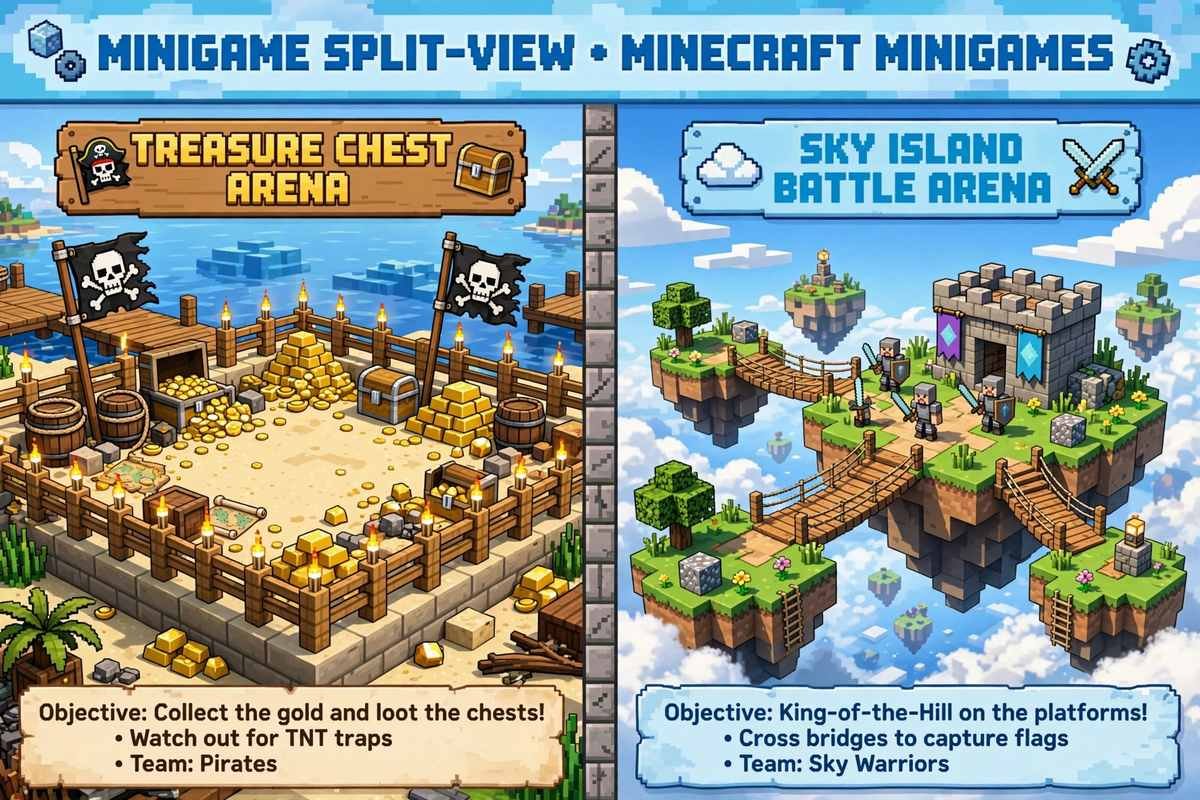
The headline modes are BedWars (protect your bed, destroy everyone else’s — the full mode that replaced The Hive’s retired Treasure Wars), SkyWars, Murder Mystery, Hide and Seek, Survival Games, DeathRun and Capture the Flag. Rounds are quick, lobbies fill fast, and the network separates players by input type in many queues, so touch players are not constantly thrown against mouse-and-keyboard veterans.
Pick The Hive if: you are new to servers, playing with younger players, or you want a game within two minutes of opening Minecraft.
2. CubeCraft — Best for PvP and Original Modes
CubeCraft started on Java back in 2012 and became a featured Bedrock server in April 2018. It is the most inventive network on this list: instead of copying everyone else, it is famous for modes it created, above all EggWars (defend your egg, break rival eggs, control the diamond generators) and Lucky Islands, alongside SkyWars, Tower Defence, BlockWars, Skyblock and seasonal events.
CubeCraft is also genuinely cross-platform: the same network runs on Java (play.cubecraft.net) and Bedrock, so groups split between Java and Bedrock can still share one community. Games are more competitive than The Hive’s, and modes like EggWars reward team coordination, so bring friends and voice chat if you can.
Pick CubeCraft if: you like PvP, you want modes you cannot find anywhere else, or your group is split across Java and Bedrock.
3. Galaxite — Best for Creative, Unusual Minigames
Galaxite, run by the Blockception studio and featured since June 2020, is the smallest network here — and the most experimental. Its eleven minigames include ideas nobody else offers: Core Wars, Prop Hunt, Chronos, Hyper Racers (a racing mode), Rush, Parkour Builders and a farming mode called My Farm Life, plus a social “Playground” hub of micro-games.
The trade-off for all that creativity is population: the community is smaller and friendlier, but queues for less popular modes can take longer to fill outside peak hours in its two regions, North America and Europe. In return you get a less sweaty atmosphere and games that feel hand-made rather than mass-produced.
Pick Galaxite if: you are bored of the usual Bed Wars clones and want to try genuinely different minigames.
4. Lifeboat — Best for Survival and Prison
Lifeboat is one of the two original featured servers, live since August 2017, and it has always leaned toward longer-form gameplay rather than quick minigame rounds. Its main pillars today are a large Survival mode and a Prison mode, supported by modes like BedWars, with regular seasonal maps and resets that keep the economy moving. Its own update notes show constant small additions — new tools in Prison, rebalanced items in Survival — which tells you the network is actively maintained.
Survival on a public server is a different game from solo survival: land and resources are shared, other players’ builds surround you, and the social side (trading, teaming up, joining groups) is the real content. If you have only ever played alone, read our first night survival guide first — everything there applies double when strangers can wander into your base.
Pick Lifeboat if: you want to settle into one world for weeks, enjoy prison-style progression, or prefer survival over minigames.
5. Mineville — Best for City Roleplay
Mineville — now listed in the featured programme as Mineville Zeqa — by the InPvP team and featured since August 2017, is built around one idea: living a pretend life in a Minecraft city. Instead of fighting or speed-running minigames, you take on jobs (the city needs police officers, chefs, and other roles), earn money, buy property, and build a character’s life alongside hundreds of other roleplayers. It is the closest thing Bedrock has to a life-simulator server, and it is especially popular with players who find PvP stressful or repetitive.
Roleplay servers run on community rules — staying in character, not griefing other people’s homes and businesses — so read the in-game rule boards when you first spawn. Players who treat it like a normal survival server tend to have a bad time; players who lean into the roleplay often stay for months.
Pick Mineville if: you want a social, low-combat server, or you are buying Minecraft for a child who loves pretend play more than fighting.
How to Join a Bedrock Server: Step by Step
Joining a featured server (all platforms):
- Open Minecraft and make sure you are signed in to your Microsoft/Xbox account.
- Tap or click Play, then the Servers tab.
- Scroll to the Featured Servers list and choose the network you want.
- Tap Join Server. The first join downloads the server’s resource packs — let it finish; interrupting this step causes most first-time failures.
Adding a custom server manually (mobile and Windows only):
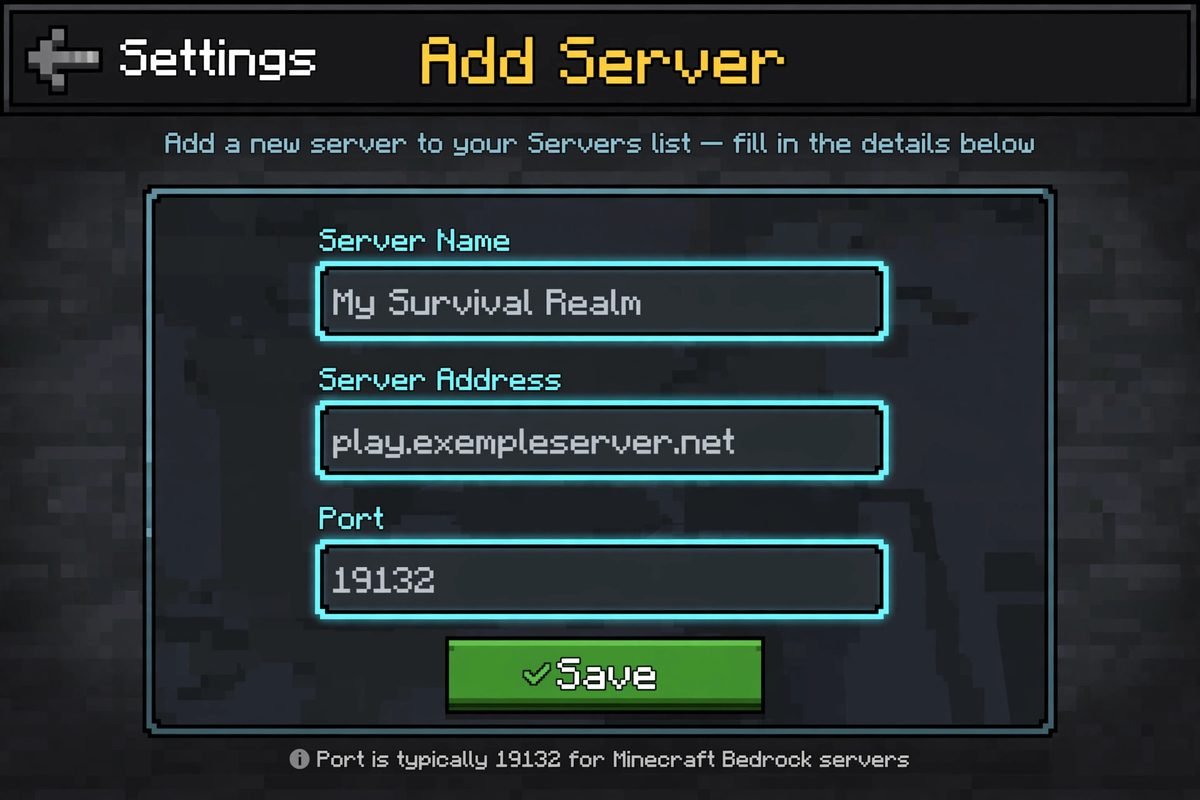
- Go to Play → Servers and scroll to the bottom.
- Choose Add Server.
- Enter a name (anything you like), the Server Address (for example
mco.lbsg.net), and the Port — 19132 for almost every Bedrock server, including all five networks in the table above. - Save, then select the server from your list and join.
On Xbox, PlayStation and Switch: stick to the Featured Servers list and Realms. Consoles restrict manually added servers, and workarounds involving DNS changes can break other online features — not worth it when the featured networks are built in.
Troubleshooting: “Unable to Connect to World”
Work through these in order — they cover nearly every failed join:
- Outdated client / outdated server: Your game and the server must be on compatible versions. Update Minecraft to the latest stable release (currently 1.26.52) from your app store and try again. Fresh preview builds (such as the 26.70.20 preview) usually cannot join stable servers at all — our 26.70.20 preview breakdown explains how previews differ from stable releases.
- Not signed in: Servers require an Xbox/Microsoft sign-in. Sign out and back in if the game claims you are offline.
- First-join pack download stalled: Your connection dropped during the resource pack download. Restart the game and rejoin; on mobile, switch from mobile data to stable Wi-Fi for the first join.
- High ping or rubber-banding: Pick the closest server region where the network offers a choice (The Hive and CubeCraft route automatically), and don’t download updates in the background while playing.
- “Server is full”: Popular lobbies fill at peak times. Wait a minute and retry, or try the network’s other modes — Galaxite and Lifeboat rarely have this problem.
Playing It Safe on Public Servers
Featured servers are partner networks with active moderation and chat filtering, which is a big reason we recommend them over random servers found on social media. Still, teach younger players the basics: never share real names, addresses or school names in chat; never follow links other players post; and remember that ranks and cosmetics sold in server stores are optional extras — none of the servers above require spending money to play their games fully. If a “server” is advertised through a download link or asks you to install something, it is not a real Minecraft server — real servers are joined from inside the game, exactly as described above. Our tips and tricks page has more on staying safe generally.
One last alternative: if your real goal is exploring and building with just your friends — no strangers, no lobbies — a private Realm will serve you better than any public network. And if you like the custom items and mechanics on networks like CubeCraft, our Minecraft mods guide explains what you can (and cannot) add to your own Bedrock worlds.
FAQ
Are Bedrock servers free to join?
Yes. All five featured servers in this guide are free to join and play. They sell optional ranks and cosmetics, but no core game mode is locked behind payment.
Why can’t I add a custom server on my Xbox or PlayStation?
Consoles restrict manually added servers, so the built-in options are Featured Servers and Realms. On Android, iOS and Windows Bedrock, the Add Server button works normally — use port 19132 for Bedrock servers.
Can Bedrock players play with Java players on these servers?
Only on networks that run both editions, like CubeCraft. The Hive, Galaxite, Lifeboat and Mineville are Bedrock-only. Bedrock players on phone, console and Windows can always play together, because they all run the same edition.
Which Bedrock server is best for a low-end phone?
The Hive. Its games are lightweight, rounds are short, and it matches many queues by input type, so older phones stay competitive. Galaxite is a good second choice outside peak hours.
Do I need Xbox Live Gold or PS Plus to join servers?
On consoles, online multiplayer generally requires your platform’s online subscription. On mobile and Windows Bedrock, joining servers is free beyond the cost of the game itself — you just need a free Microsoft account sign-in.
Conclusion
For most Bedrock players the answer is simple: start with The Hive for instant, friendly party games; graduate to CubeCraft when you want real PvP depth; keep Galaxite for something different, Lifeboat for settling into survival, and Mineville for roleplay. Every one of them is already sitting in your Servers tab — all you need is an up-to-date game and a sign-in. See you in the lobby.
Sources
- Minecraft Wiki, “Featured servers” (minecraft.wiki/w/Featured_servers) — server addresses (Mineville: play.inpvp.net; Lifeboat: mco.lbsg.net; CubeCraft: mco.cubecraft.net; The Hive: geo.hivebedrock.network; Galaxite: play.galaxite.net), owners, featured dates, and the current featured list (including the newer additions and Mineville’s current listing as Mineville Zeqa).
- MineNest, “Best Minecraft Minigame Servers 2026” (minenest.com, connection details checked 5 October 2026) — The Hive reachable via Featured Servers or geo.hivebedrock.cloud, port 19132; CubeCraft joined via Featured Servers on Bedrock; supported-version guidance.
- MCServ, “Best Minecraft Minigames Servers in 2026” (mcserv.org) — The Hive and CubeCraft game-mode lists, CubeCraft crossplay, Hive input-type player separation.
- Galaxite MCBE Wiki (galaxite.fandom.com) — Galaxite’s eleven minigames list; Galaxite is a featured Bedrock server by Blockception.
- Minecraft PE Central, Galaxite server profile (mcpecentral.com) — Galaxite regions (North America, Europe) and join-via-Servers-tab instructions.
- Lifeboat Network help/community site (help.lbsg.net) — active Prison and Survival modes and ongoing server updates.
- PortForward, “Minecraft: Bedrock Edition Server ports” (portforward.com) — Bedrock servers use UDP ports 19132–19133.
- minecraft.net, “Servers coming to consoles and mobile!” — Mojang’s partnered-server programme and how Realms differ from public servers.
One Comment