Download Minecraft APK for iOS — Latest Version 2026
Minecraft APK for iOS brings the full Bedrock Edition experience to Minecraft iOS, with survival, creative mode, multiplayer, Realms, Marketplace content, and regular updates.
Minecraft Apk for iOS Introduction
Minecraft on iPhone and iPad gives players the familiar block-building experience in a mobile-friendly format. You can explore large worlds, collect resources, craft useful items, build structures, and switch between Survival and Creative gameplay whenever you want. The iOS version runs on Bedrock Edition, so it also supports cross-platform multiplayer with compatible devices, along with Realms, Marketplace content, add-ons, and regular game updates.
If you’re searching for a Minecraft APK for iOS, there is one important thing to know: APK files are made for Android and cannot be installed on iOS. iPhone and iPad use Apple’s own app format and distribution system, Minecraft for iOS is obtained through the App Store. This guide covers the correct way to get Minecraft on iOS, its main features, device requirements, offline gameplay, multiplayer, common installation issues, and the difference between Android APK files and the official iOS version.
Quick Info Table
Minecraft
Yes
iOS 13.0+
Bedrock Edition
October 20, 2026
Mojang Studios
Sandbox\Adventure
iPhone & iPad
Why Download Minecraft on iPhone?
Minecraft on iOS offers the same core Bedrock experience available on other supported platforms. You get touch controls, cross-platform multiplayer, Marketplace content, Realms and regular updates through the App Store.
On iPhone and iPad, Minecraft updates arrive through the App Store, and the current stable release is 1.26.52. If you like trying new features early, Mojang also offers the separate Minecraft Preview app on iOS when beta slots are open, so preview features can be tested before they reach the stable game.
Is There a Free or Modded Minecraft APK for iOS?
Can You Get Minecraft Free on iPhone?
The official iOS version is a paid App Store app. There isn’t a legitimate free Minecraft APK that can be installed on an iPhone.
What About Modded or Unofficial iOS Files?
Be careful with websites promising a free Minecraft iOS version, unlimited Minecoins or unlocked premium content. Check the developer and source before installing any unfamiliar file.
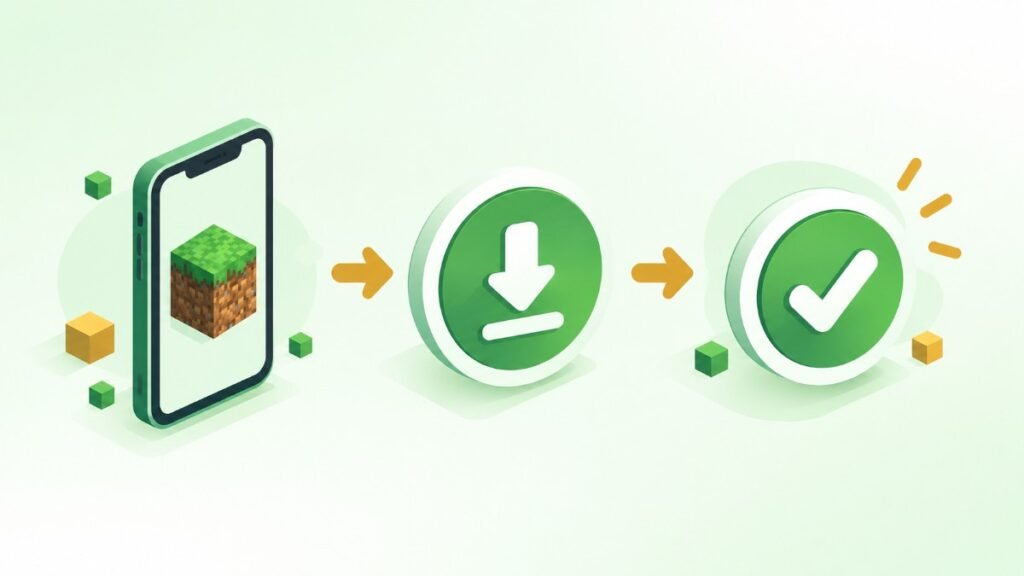
How to Download Minecraft on iPhone or iPad
Your purchase is linked to your Apple account, allowing you to redownload the app on compatible devices using the same account.
Minecraft on iPhone vs Android
Both versions use Bedrock Edition and share the main gameplay, updates, multiplayer and Marketplace features. The biggest difference is the operating system: Android uses APK/Android app packages, while iPhone uses Apple’s iOS app system.
iOS System Requirements
Older devices may not support the latest Minecraft version, so check the current App Store compatibility information before purchasing. Saved worlds, updates and Marketplace content can also increase storage usage.
What You Get With Minecraft on iOS
Minecraft for iPhone includes the main Bedrock features players expect, from solo survival to cross-platform multiplayer.
Cross-Platform Multiplayer
Play with friends on supported Android, Windows, Xbox, PlayStation and Switch devices through Bedrock multiplayer and a Microsoft account.
Marketplace and Realms
The Marketplace provides skins, worlds, texture packs and add-ons, while Realms lets you keep supported multiplayer worlds available online.
Touch and Controller Support
Touch controls are built for mobile, while compatible controllers provide another option when you want more precise movement and combat.
Updates and Add-Ons
Minecraft receives regular Bedrock updates on iOS. You can also use commands and supported add-ons to customize gameplay.
Common Minecraft iOS Problems
Minecraft Won’t Install
Check your available storage, internet connection and minecraft apk for iOS version. Restarting the App Store can also fix a stuck download.
Game Is Lagging or Crashing
Lower demanding graphics settings and render distance. On older devices, reducing these settings can make gameplay smoother.
Multiplayer Isn’t Working
Make sure Minecraft is updated and you’re signed into the correct Microsoft account. Also check your internet connection and multiplayer settings.
Minecraft iOS FAQs
Can I install an APK file on an iPhone?
No. APK is Android-only and cannot be installed on iOS. On iPhone and iPad, Minecraft is only available through the App Store.
How do I get Minecraft on iOS officially?
Open the App Store, search for Minecraft, and confirm it is the official listing from Mojang, then purchase and install it.
Is Minecraft free on iOS?
No, it is a paid app. Check the App Store listing for the current price in your region.
Can iOS players join Android players in multiplayer?
Yes. Both run Bedrock Edition, so cross-play works as long as everyone is on a matching version.