Download Minecraft Old Version APK – Mod APK Old Versions Free
Download old Minecraft APK versions for Android. Find and install a Minecraft mod APK old version from classic and recent builds — compare versions, check compatibility, and download safely.
Last updated: October 20, 2026.
Looking for the newest release instead? The current Bedrock preview is 26.70.20 — read our 26.70.20 preview breakdown for what changed. The table below archives older builds for reference.
Your Favorite Minecraft Versions All in One Place
| Version | Release date | File size | Min Android | Download |
|---|---|---|---|---|
| v1.26.60.28 | Sep 2026 | — | — | Download APK |
| 1.26.52 (Stable) | Sep 2026 | — | — | — |
| 1.21.11 | Sep 2025 | — | — | — |
| 1.21.10 | 2025 | — | — | — |
| 1.21.9 | 2025 | — | — | — |
| 1.21.0 (Tricky Trials) | Jun 2024 | — | — | — |
| 1.20.0 (Trails & Tales) | Jun 2023 | — | — | — |
| 1.19.0 (The Wild Update) | Jun 2022 | — | — | — |
| 1.18.0 (Caves & Cliffs: Part II) | Nov 2021 | — | — | — |
| 1.16.0 (Nether Update) | Jun 2020 | — | — | — |
Only versions we host and SHA-256-verify carry a download button. The archive above lists the most-searched releases — more versions are added as their files are verified and hosted.
About Old Version’s
Sometimes the newest Minecraft update isn’t what you want. Maybe a mod you rely on hasn’t caught up to the current build maybe your phone struggles with the file size of a recent Minecraft APK download, or maybe you just remember an earlier version fondly enough that you want to go back to it. Whatever the reason, getting an old version installed is more involved than tapping “update” this page walks through what’s actually changed across versions how to get an older build safely and what to expect once it’s running.
A Quick Answer First
If you need the short version for Java Edition the official Minecraft Launcher lets you pick almost any past release from a dropdown menu this is by far the safest method. For Bedrock/Pocket Edition on Android, there’s no official archive you’re either rolling back through your Play Store’s app version history or downloading an APK from a third party site and verifying it carefully before installing.
How Minecraft Has Changed, Version by Version
Minecraft in 2026 barely resembles the game from a decade ago and the differences aren’t cosmetic several updates changed core mechanics entirely.
Early builds, the ones collectors still call the Alpha and Beta era, had almost none of what defines modern Minecraft: no enchanting no Nether combat that amounted to clicking repeatedly. Release 1.0 in late 2011 added the End dimension and the Ender Dragon which is generally considered the point where the game became “complete” in Notch’s original vision.
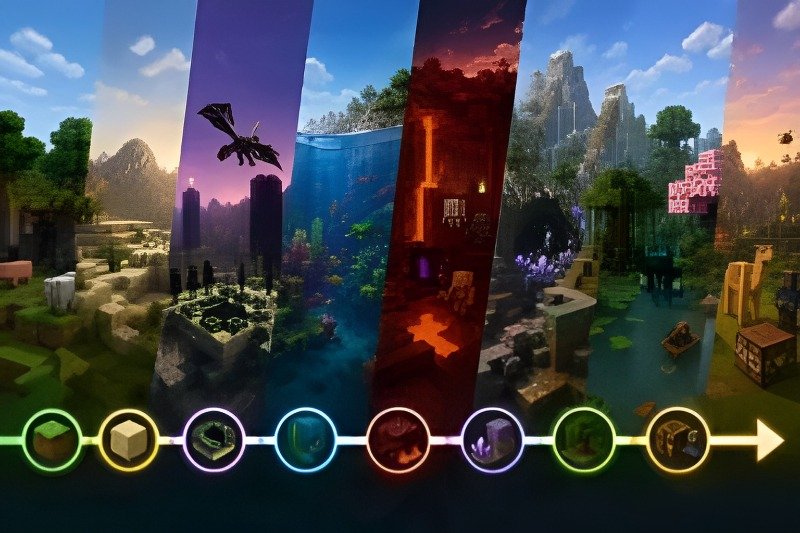
From there updates arrived roughly annually and each one reshaped a specific part of the game:
Bountiful Update
Expanded Minecraft with features such as ocean monuments, guardians, banners, and improved building options, helping shape the foundation for later updates.
Combat Update
Introduced attack cooldowns, shields, dual wielding, and major changes to PvP combat that divided the Minecraft community for years.
Update Aquatic
Rebuilt ocean gameplay with new underwater environments, swimming, dolphins, shipwrecks, coral reefs, and much more.
Nether Update
Completely transformed the Nether with new biomes, Piglins, Hoglins, Netherite, and a much wider variety of environments to explore.
Caves & Cliffs
Added copper, axolotls, amethyst geodes, deeper caves, taller mountains, and a major overhaul of underground and mountain generation.
Wild Update → Trails & Tales
Added mangrove swamps, the Warden, cherry groves, camels, archaeology, armor trims, and several new ways to explore and customize the world.
More Frequent Game Drops
Minecraft has moved toward smaller and more frequent content drops rather than relying only on one large yearly update. New features, mobs, blocks, and gameplay improvements continue to arrive through these releases.
None of this is trivia for its own sake it matters because whichever version you pick determines which of these features you’ll actually have and which mods or servers you’ll be compatible with.
Picking the Right Minecraft Old Version
There isn’t a single “best” Minecraft old version it depends entirely on what you’re trying to get out of it.
If your phone is old or low on storage: look at anything from the 1.0 1.12 range. These builds are a fraction of the size of a current Minecraft download APK and run comfortably on hardware that would choke on the latest release.
If you’re chasing a specific feature era: pin down exactly which update introduced or removed what you’re after. “Old version” covers a fifteen-year span, so vague nostalgia for “the old Minecraft” usually means something more specific once you think it through pre-combat-update PvP pre-Nether-Update biomes, or pre-hunger-system survival for instance.
If you’re matching a mod or a server: the mod’s or server’s listed compatible version is non-negotiable. Installing the wrong build defeats the purpose entirely, and even a minor patch mismatch (say, 1.21.44 versus 1.21.41) can break behavior packs that otherwise look identical on paper. This is exactly why a Minecraft 1.21 mod apk and a plain Minecraft 1.21 apk aren’t interchangeable one has add-ons baked in that expect a specific point release the other doesn’t. On Java Edition two versions in particular still get requested constantly for this reason: 1.7.10, which sits at the center of an enormous amount of old Forge modding content, and 1.18.2, which became something of a stable long-term base for modpacks after Caves & Cliffs Part II settled down.
Bedrock Version Numbers Worth Knowing
Bedrock/Pocket Edition ships far more point releases than most players realize Mojang pushes out minor 1.21.x updates every few weeks, which is why searches for an exact build like “1.21.92.1” or “1.21.130” turn up so often. The table below covers the ones that come up most grouped by the update cycle they belong to. Treat the notes as general orientation rather than a full changelog for the precise patch notes of any single point release Mojang’s own version-history page is the reliable source.
| Version | Cycle | Worth Knowing |
|---|---|---|
| 1.17.200 | Caves & Cliffs | Common target for older, lighter Android installs |
| 1.18.2 | Caves & Cliffs Part II | Java Edition’s long-standing modding baseline |
| 1.19.0 | Wild Update | First build with the Warden and Deep Dark |
| 1.20 | Trails & Tales | Archaeology, camels, cherry groves |
| 1.21.0 / 1.21.2 | Tricky Trials launch | Trial Chambers, Breeze, crafter block |
| 1.21.10 – 1.21.30 | Early 1.21.x point releases | Mostly stability and bug-fix patches |
| 1.21.50 – 1.21.60 | Mid-cycle 1.21.x updates | Frequently the version bundled with newer devices |
| 1.21.80 – 1.21.94 | Later 1.21.x point releases | Where most current mod/add-on testing happens |
| 1.21.100 – 1.21.131 | Most recent 1.21.x patches | Closest to current if you want near-latest without the full 1.26 jump |
| 1.26.40 / 1.26.50 | Current 2026 cycle | The actively supported build as of this writing |
If the exact sub-version you’re after isn’t listed above it’s still worth searching for by its full number third-party archives index far more granular builds than any single reference page can cover.
Download Minecraft Old Versions (APK)
Every build below was checked before listing — the link goes straight to the APK file, no installers or redirects. Newer builds are larger because they carry more game content.
| Version | File Size | Download |
|---|---|---|
| 1.26.70.20 (Preview) | 390 MB | Download APK |
| 1.26.60.28 | 1.06 GB | Download APK |
| 1.26.52 | 370 MB | Download APK |
| 1.26.51 | 370 MB | Download APK |
| 1.26.50 | 354 MB | Download APK |
| 1.26.40 | 384 MB | Download APK |
| 1.21.50 | 242 MB | Download APK |
| 1.21.44 | 237 MB | Download APK |
| 1.20.81 | 237 MB | Download APK |
| 1.20.80 | 237 MB | Download APK |
| 1.19.83 | 194 MB | Download APK |
| 1.18.32 | 158 MB | Download APK |
| 1.17.41 | 134 MB | Download APK |
| 1.16.221 | 120 MB | Download APK |
These older builds are served by the MCPEDL file archive. If a link ever stops working, mention it in the comments and it will be refreshed.
Downloading and Installing an Old Version
On PC (Java Edition): open the Minecraft Launcher go to Installations and create a new installation. The version dropdown includes releases, snapshots, and betas going back years this is Mojang’s own archive so there’s no security concern here at all.
On Android (Bedrock/Pocket Edition): there’s no equivalent official archive which is the main reason third-party old-version sites exist in the first place. Two paths work:
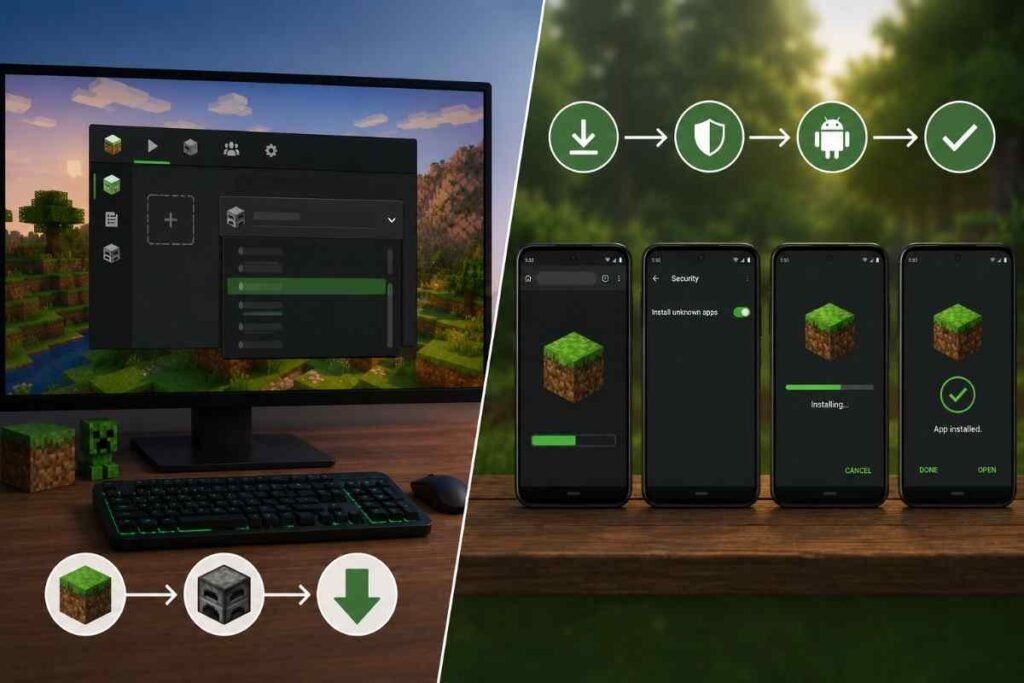
- Through Google Play under Manage app & device → Minecraft → Advanced → Uninstall updates. This only rolls back to whatever version shipped on your device, not to any version you choose but it’s completely safe since it’s Google’s own system doing the work.
- Through a direct APK download from an archive site. This is more flexible but requires some care check that the version number is stated clearly rather than buried that the file size is roughly in line with what that version should weigh (older builds run somewhere between 60MB and 200MB depending on how old; recent ones can exceed 300MB) and that you’re not installing from a link dropped in a random forum comment or an unlabeled Mediafire folder with no version history attached.
Once downloaded, enabling Install from Unknown Sources in Android settings is required for any APK not sourced from Google Play turn it back off once the install finishes as a matter of habit more than strict necessity.
Old Version vs. Current Version
| Comparison | OLDER Older Minecraft APK | CURRENT Current Minecraft APK |
|---|---|---|
| Typical file size | 60–200MB | 300MB+ |
| Device requirements | Runs on low RAM, older Android builds | Wants more RAM, newer Android for full performance |
| Content | Frozen at whatever that release included | Full current biomes, mobs, mechanics |
| Bug fixes | None going forward | Actively patched by Mojang |
| Mod/add-on support | Matches whatever era of mods was built for it | Matches only current-version content |
| Multiplayer / Xbox Live | Can be unreliable on very old builds | Fully supported |
What Tends to Go Wrong
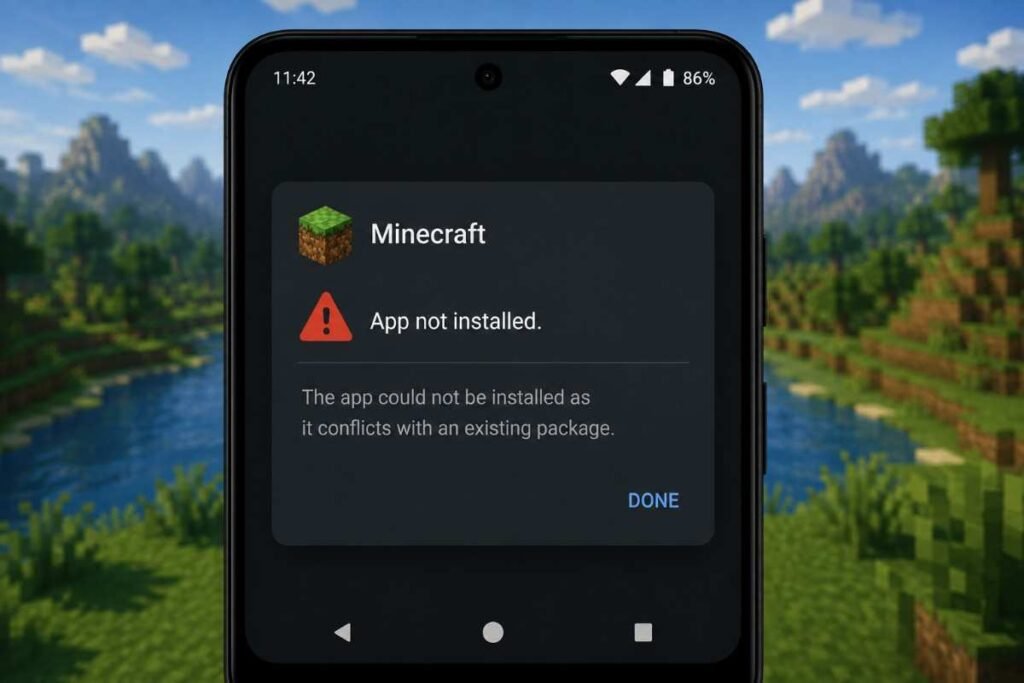
A handful of issues come up often enough to mention specifically.
Installing an minecraft old version over a current install usually throws an app not installed error because Android sees them as the same package trying to overwrite incompatible data. Uninstalling the current version first avoids this though it also means losing local save data unless you’ve backed it up.
Worlds saved in a newer version generally will not open correctly in an older one the world file format changes between major updates and there’s no reliable way to downgrade a save. If you want to preserve a world before switching versions back it up separately rather than assuming it’ll transfer.
Mods and add-ons built for one Bedrock build sometimes appear to install fine on a slightly different version and then break in ways that aren’t obvious until you’re deep into a world crashes on specific block interactions missing textures that kind of thing. Matching the exact version listed by the mod’s creator avoids most of this.how add-on compatibility works across Bedrock versions
Is This Actually Safe?
The version itself isn’t the risk Minecraft hasn’t changed in some way that makes old code inherently dangerous. The risk is entirely about where the APK file comes from. A modified or repackaged APK can carry malware regardless of which version number it claims to be so the same due diligence that applies to any Android APK download applies here: stick to sites that clearly document which build you’re getting run a scan before installing and be skeptical of anything offered without a visible version history or changelog.
Frequently Asked Questions
Why would I download an old version of Minecraft APK?
Common reasons are an older phone that cannot run the newest release, a favorite mod or add-on that only works on a specific version, or joining a server that has not updated.
Can I play online with an old version?
Only with players and servers running the same version. Realms and most public servers require the latest release.
Is it safe to install an old APK version?
The same caution applies as with any sideloaded app — download only from this site. Note that old versions no longer receive Mojang’s security fixes.
How do I switch back to the latest version later?
Download the latest version from the homepage and install it over the old one. Back up your worlds first.