Best Minecraft Texture Packs in 2026 for Java & Bedrock
Still using the pack you downloaded two years ago because it topped a list back then? Some older packs haven’t kept up with current versions, and Bedrock players now have an official graphics upgrade (Vibrant Visuals) that changes what “realistic” even means. This guide to the best Minecraft texture packs of 2026 covers the packs worth downloading in 2026, what each one costs and where to get it, how PBR realism packs work, and how to install a pack on Java, Bedrock, or a server.
Last updated September 2026. Details come from creator pages, project listings, and Minecraft’s own pages where available. Versions, prices, and Marketplace listings change, so confirm the details on each pack’s page before downloading. Recent Minecraft versions also use year-based numbers (26.1, 26.2, and so on), so you will see both styles in pack listings.
On This Page
- What a Texture Pack Actually Changes
- Quick Comparison: Style, Cost, and Where to Get Each Pack
- Faithful, Mizuno’s 16 Craft, and Bare Bones
- Chroma Hills and Sphax PureBDcraft
- More Vanilla-Style and Stylized Packs
- Ore-Finder Packs
- Realistic Packs: PBR, Shaders, and Bedrock’s Vibrant Visuals
- How to Install a Texture Pack on Java Edition
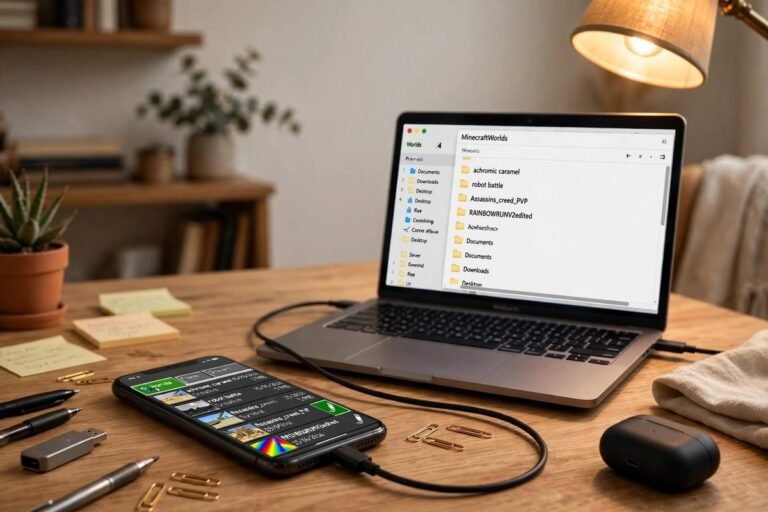
- How to Install a Texture Pack on Bedrock Edition
- Adding a Texture Pack to a Java Server
- Picking the Right Pack for Your PC
- Texture Pack Not Working?
- Frequently Asked Questions
What a Texture Pack Actually Changes
A texture pack (Minecraft itself calls them resource packs) changes how blocks, items, and mobs look. It does not change how the game plays, so your world stays the same and you can switch back to the default textures whenever you like. What does vary a lot is resolution (16x, 32x, 128x and up), art style, and how demanding the pack is on your hardware. Java Edition and Bedrock Edition use different pack formats, so a pack made for one is not automatically usable on the other.
Quick Comparison: Style, Cost, and Where to Get Each Pack
The tables below separate ordinary texture packs, realistic packs, and Bedrock’s built-in and ray-tracing graphics options, because they work differently. Prices and Patreon or Marketplace details change, so treat “Cost” as a guide and ch Use the tables to shortlist the best Minecraft texture packs for your edition, version, and hardware.eck the official page before you download or buy. Not every pack is updated for the newest game version; the version notes in the sections below matter.
Conventional packs: the best Minecraft texture packs for everyday play
| Pack | Style | Resolution | Edition and version notes | Cost | Official page | Performance |
|---|---|---|---|---|---|---|
| Faithful | Vanilla-plus, sharper original look | 32x, 64x | Java and Bedrock (separate downloads) | Free | Faithful | Lighter at 32x than 64x |
| Mizuno’s 16 Craft | Warm, hand-painted vanilla-plus | 16x | Java and Bedrock (separate versions); check Java version coverage | Java: free per third-party listings. Bedrock: paid on the Marketplace | Creator’s blog | Light |
| Bare Bones | Simplified, colorful, trailer-style | 16x | Java (Modrinth lists 1.21.x and earlier); Bedrock only via unofficial ports | Free | Modrinth | Light |
| Chroma Hills | RPG and cartoon twist | 128x (64x also offered on Bedrock) | Java and Bedrock (separate); check version support | Java: free per third-party listings. Bedrock: paid on the Marketplace | Syclone Studios | Heavier at 128x |
| Sphax PureBDcraft | Comic-book | Java: 16x to 512x | Java and Bedrock (Bedrock via Marketplace only) | Java: free, ad-supported download; newest updates for paying supporters. Bedrock: paid on the Marketplace | BDcraft | Depends on the resolution you choose |
Realistic PBR packs: the best Minecraft texture packs for a graphics upgrade
| Pack | Style | Resolution | Edition and requirements | Cost | Official page | Performance |
|---|---|---|---|---|---|---|
| Optimum Realism | Realistic PBR | 64x free; higher resolutions paid | Java (Iris or OptiFine, possibly extra mods) and Bedrock (RTX version) | Free 64x; 128x and up via Patreon | Optimum Realism | Creator’s site lists a GTX 1050 GPU and 8 GB RAM as the minimum |
| Patrix | Realistic, built for shaders | 32x free; 64x, 128x, 256x paid | Java; uses OptiFine-format features | Free 32x on Modrinth; higher resolutions via Patreon | Modrinth | Creator says it is significantly heavier than other packs at the same resolution |
Bedrock built-in graphics and ray-tracing packs
| Option | What it is | Edition | Cost | Official page | Requirements |
|---|---|---|---|---|---|
| Vibrant Visuals | Mojang’s built-in graphics mode (not a downloadable pack) | Bedrock, compatible devices | Free, built into the game | Minecraft.net | Compatible device; “Favor Visuals” and “Favor Performance” options |
| Vanilla RTX | Community-made ray-tracing resource pack for vanilla visuals | Bedrock, Windows 10/11 | Free | CurseForge | Ray-tracing-capable GPU (NVIDIA RTX 20 series or newer, AMD RX 6000 or newer, or Intel Arc A380 or better, per the project page) |
| Vanilla Vibrant Visuals | Community-made pack tuned for the Vibrant Visuals mode | Bedrock, Vibrant Visuals-compatible devices | Free | CurseForge | Minecraft 1.21.90 or newer per the project page |
Faithful, Mizuno’s 16 Craft, and Bare Bones
Faithful keeps the original Minecraft look but sharpens it: blocks, tools, and mobs get more detail without feeling out of place. It comes in 32x and 64x versions, and the 32x version is its own hand-made set rather than a downscale of the 6 It remains one of the best Minecraft texture packs for a sharper vanilla look.4x. The project keeps official Java and Bedrock versions and is regularly updated for new game versions, but still confirm that a build exists for the version you play.
Mizuno’s 16 Craft is one of the most widely downloaded vanilla-style packs. It stays at 16×16, but blocks, tools, mobs, and villagers get a warm, hand-painted redraw that stays close enough to the original that nothing feels foreign. Because it is only 16x, it is easy on weaker PCs. One caution: the creator’s blog (in Japanese) lists offi For a warm, hand-painted feel, it is one of the best Minecraft texture packs you can download.cial Java updates only through 1.20, and third-party listings describe a separate fan-made add-on for newer versions, so check the creator’s download page for what your version needs. The Bedrock version is a separate Marketplace product.
Bare Bones simplifies rather than adds detail. It gives everything a clean, colorful, trailer-like look, which builders like because plain textures do not compete with the shape of a build. At 16x it is also very light on performance. Its Modrinth That makes it one of the best Minecraft texture packs for weaker PCs.page lists Java versions up to 1.21.x, so check for a build that matches a 26.x version before you download.
Chroma Hills and Sphax PureBDcraft
Chroma Hills is an RPG-style pack with a cartoon twist, built at 128x and popular for castles, forests, and fantasy builds. One caution: the studio’s own Java page does not state which game versions are supported, third-party Java listings t For RPG and fantasy builds, it is one of the best Minecraft texture packs in its style.op out around 1.19 to 1.20, and a 2025 review described the pack as not keeping up with newer game content, so check that it covers your version before downloading. The Bedrock version (Chroma Hills HD) is a separate Marketplace product from the same studio.
Sphax PureBDcraft goes fully comic-book, with bold outlines and bright colors. On Java its resolution ranges from 16x up to 512x, so you can pick a heavier, more detailed version or a lighter, more exaggerated one depending on you That range makes it one of the best Minecraft texture packs for a bold comic-book look at any performance level.r hardware. Java downloads are free with an ad-supported step, while the newest updates are reserved for paying supporters. On Bedrock it is sold only through the Marketplace.
More Vanilla-Style and Stylized Packs
Worth knowing about without a full section each. Check each pack’s own page for current versions and requirements; Clarity, Stay True, and BetterVanillaBuilding are listed from the earlier draft and have not been re-verified.
| Pack | What it does |
|---|---|
| Clarity | Detailed vanilla-style pack at 32x, aimed at a clean, sleek look without losing the original feel |
| Stay True | Subtle vanilla-plus improvements at 16x |
| Fresh Animations | Java pack that adds more lifelike mob animations rather than changing the art style; its page says it needs OptiFine or the Entity Model Features and Entity Texture Features mods |
| BetterVanillaBuilding | A 16x builder-focused vanilla-plus pack |
| Conquest_ | Medieval look at 32x for Java; its page lists several companion mods on recent versions (for example Continuity, CIT Resewn, EMF, ETF, Nuit, and Polytone) or OptiFine on older ones. Not the same as the Conquest Reforged mod pack |
Ore-Finder Packs
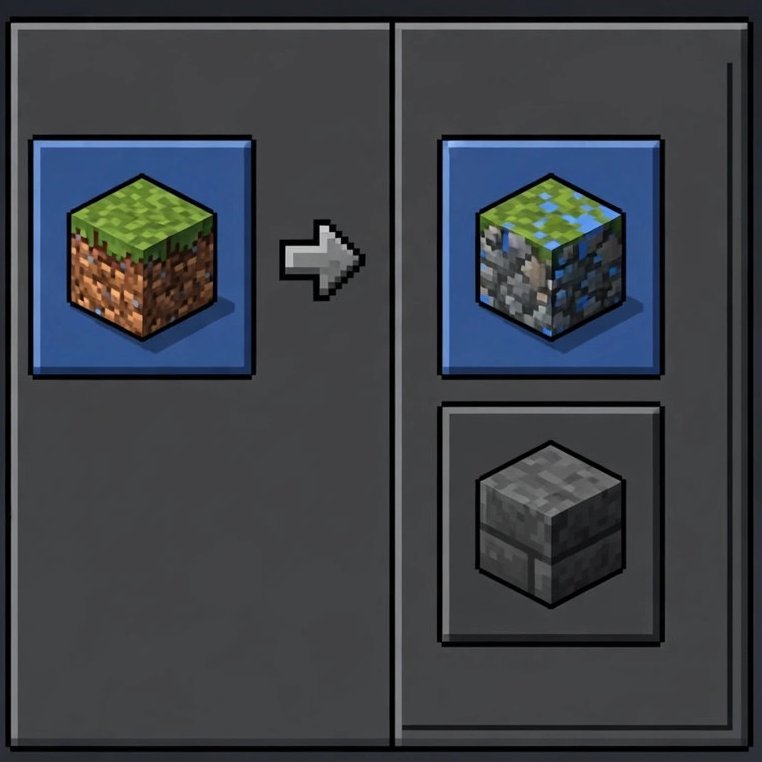
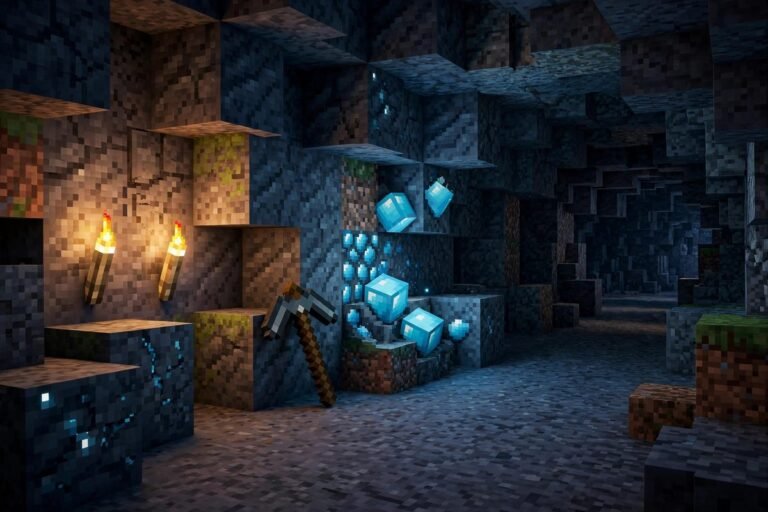
Some packs are tools rather than visual overhauls. Xray-style packs make stone and dirt semi-transparent so ores show through walls. “Visible ores” packs take a gentler approach: the world looks mostly normal, but ore blocks are brighter and easier to spot. Many players searching “xray texture pack” want a mining tool, not a new look. Many servers ban these packs because they give a mining advantage, so check the rules before installing one.
Realistic Packs: PBR, Shaders, and Bedrock’s Vibrant Visuals
A normal texture pack changes color and detail. A PBR (physically based rendering) pack also carries data that says how shiny or bumpy each surface is, so lighting can produce real depth and reflections. Something has to read that data: shaders on Java, and RTX or Vibrant Visuals on Bedrock. These are three different routes, and they are not interchangeable.
| Route | Edition | What it is | What you need |
|---|---|---|---|
| Java shaders | Java | A shader pack run through a shader loader (Iris or OptiFine) | A shader loader, a shader pack, and a PBR-ready resource pack |
| Vibrant Visuals | Bedrock | Mojang’s built-in graphics mode | A compatible device; a pack built to work with the mode if you want custom PBR materials |
| RTX | Bedrock | Ray tracing on Windows | A ray-tracing-capable GPU and an RTX-ready resource pack |
On Java: Optimum Realism is a widely used realistic PBR pack. The 64x version is free, and higher resolutions (128x up to 512x) are paid through Patreon. It supports Iris and OptiFine on Java, and the creator’s page says Iris users may need additional mods, so read its install notes. There is a separate Bedrock RTX edition. Optimum Realism is one of the best Minecraft texture packs for true-to-life graphics on Java.
Patrix takes a different approach, using large-scale texture tiling and randomization instead of very high resolution. Its 32x version is free, higher resolutions are on Patreon, and the creator says it is significantly heavier than other packs at the same resolution. Its Modrinth page said 26.2 blocks and items were done, with mobs still in progress. Some third-party listings say it needs companion mods such as Continuity and the Entity Texture/Model Features mods for the full look, so check its page. Patrix is another of the best Minecraft texture packs for realistic visuals.
For shader lighting on current versions, many players pair a PBR pack with Sodium and Iris, which runs on Fabric and NeoForge (see the full loader breakdown for Fabric and NeoForge). Many PBR packs still load as ordinary textures without a shader loader, but you miss the lighting and depth effects, and a few list Iris or OptiFine as required.
On Bedrock: Vibrant Visuals is Mojang’s official graphics upgrade. It is a built-in graphics mode, not a downloadable resource pack. It adds improved lighting and shadows, reflective water, and atmospheric effects, and it is free on compatible devices. Mojang lists Xbox, PlayStation, Android, iOS, and PC among supported devices, and it is not supported on some hardware such as Nintendo Switch, Fire tablets, and ChromeOS. Whether it is on by default varies by device. Mojang says it is planned for Java Edition, but it is not available there yet.
Vanilla RTX is a separate, free, community-made resource pack for Bedrock ray tracing. It needs Windows 10 or 11 with a ray-tracing-capable graphics card and is not intended for Android, iOS, or consoles. The same creator also offers Vanilla Vibrant Visuals, a separate pack for devices that use the Vibrant Visuals mode instead of ray tracing.
Whether a given pack works with Vibrant Visuals, RTX, both, or neither depends on how the creator built it. Check the pack’s page for the modes it supports rather than assuming a PBR pack will work in every mode.
How to Install a Texture Pack on Java Edition
- Download the pack, making sure it matches your Minecraft version.
- Open Minecraft and go to Options, then Resource Packs.
- Click Open Pack Folder.
- Drag the downloaded .zip into that folder. Do not extract it.
- Go back to Minecraft and move the pack from the available list to the selected list.
If shader lighting matters to you, install Sodium and Iris on a supported loader first; see where OptiFine stands in 2026 for why many players no longer start with OptiFine.
How to Install a Texture Pack on Bedrock Edition
Bedrock uses a different pack format from Java.
- Download a pack in .mcpack format from a source you trust.
- Open the file. Minecraft should import it automatically.
- Create or edit a world and open Resource Packs, or use Global Resources in Settings to apply it to all your worlds.
- Activate the pack there.
Packs from the in-game Marketplace install automatically once purchased or claimed. To use Vibrant Visuals, open Settings, then Video, and choose it in the Graphics Mode menu. On some consoles it may be set by default and locked.
Adding a Texture Pack to a Java Server
If you run a Java server and want every player to see the pack, the setup is different from a single-player install. Exact behavior can vary by Minecraft version and by your hosting provider, so test after each change.
- Upload the pack .zip to a host that gives a direct download link, meaning the link downloads the file itself rather than opening a web page.
- Get the file’s SHA-1 hash. Many hosts show it, or you can generate it locally.
- Open the server’s
server.propertiesfile. - Paste the link after
resource-pack=and the hash afterresource-pack-sha1=. - Decide whether the pack is required (see the list below).
- Restart the server. Players are prompted to accept the pack when they join.
What each setting does:
resource-pack: the direct download URL of the pack.resource-pack-sha1: the pack’s SHA-1 hash, in lowercase hexadecimal. It is optional but recommended, because it lets the game verify it downloaded the right file. Generate it again whenever you change the file.require-resource-pack: set totrueto require the pack (players who decline are disconnected) or leave itfalseso players can decline.resource-pack-prompt: an optional custom message shown in the pack prompt.resource-pack-id: an optional UUID that identifies the pack to clients, available in newer versions.
These are server settings. Players also have their own client-side preference for server packs, which can accept or decline automatically, so a player’s own settings can affect whether the prompt appears. Bedrock servers and realms use a different setup, so follow their own documentation.
Picking the Right Pack for Your PC
Performance depends on the pack’s resolution and design, your graphics card and video memory, whether you run shaders, and the rest of your hardware. As a general rule, higher-resolution packs ask more of your GPU and VRAM, and 16x and 32x packs are the safer picks for older or weaker PCs. PBR packs combined w Keep that in mind when comparing the best Minecraft texture packs for your setup.ith shaders or ray tracing are usually the most demanding setup, and some packs, such as Patrix, are heavier than their resolution suggests. If the game stutters after installing a pack, try a lower-resolution version or turn shaders off before assuming your PC cannot handle texture packs.
Texture Pack Not Working?
Pack does not appear in the list. Confirm it is a single .zip in the right folder. If the pack was extracted or zipped with an extra folder around it, the game may not see it.
A warning says the pack was made for a different version. It often still loads, but some textures may be missing. Look for a build that matches your version.
Some blocks look default or have missing textures. The pack may not cover newer blocks yet, or may need a feature from a mod or shader loader.
FPS dropped. Try a lower resolution or turn shaders off.
A server pack will not download. Check that the link is a direct download and that the SHA-1 hash matches the current file.
Frequently Asked Questions
Do texture packs change how Minecraft plays?
No. They only change the visuals. Gameplay, mechanics, and your world stay the same, and you can switch packs off at any time.
What’s the difference between a normal pack and a PBR pack?
A normal pack changes color and detail. A PBR pack adds extra data that tells the game how shiny or bumpy a surface is, so lighting can create depth and reflections instead of just a sharper flat image. On Java that usually needs a shader loader; on Bedrock it depends on the pack and the graphics mode it supports, such as RTX or Vibrant Visuals.
Can I use Java texture packs on Bedrock Edition?
Not directly. Bedrock uses a different format (.mcpack) and a different rendering engine, so you need a Bedrock version of the pack or a port. Check whether the creator offers one.
Will a texture pack lower my FPS?
It can, depending on the pack’s resolution and design, your graphics card and video memory, and whether you also run shaders. Lower-resolution packs like 16x or 32x are generally lighter, and a PBR pack combined with a shader is usually the most demanding setup.
Do I need OptiFine for texture packs to work?
No, not for standard packs. Some packs use OptiFine-format features, so check the pack’s page. For shader lighting on current versions, many players use Sodium and Iris instead. As of September 2026, OptiFine’s last stable build targets Minecraft 1.21.11, and builds for 26.x versions have been pre-releases, so check OptiFine’s site for its current status.
Are texture packs free?
Many are, but not all. Faithful, Bare Bones, and the free tiers of Optimum Realism and Patrix cost nothing, while Bedrock Marketplace versions are paid in Minecoins and some creators charge for higher resolutions or supporter-only updates (Optimum Realism, Patrix, and Sphax PureBDcraft’s newest Java updates).
What is Vibrant Visuals, and is it on Java Edition?
Vibrant Visuals is Mojang’s official graphics upgrade for Bedrock Edition, adding improved lighting and shadows, reflective water, and atmospheric effects. It is a built-in graphics mode, not a downloadable pack, and it is free on compatible devices. Mojang has said it is planned for Java Edition, but it is not available there yet.
Is Vanilla RTX made by Mojang?
No. Vanilla RTX is a free, community-made ray-tracing resource pack for Bedrock Edition. It needs Windows 10 or 11 with a ray-tracing-capable graphics card and is not intended for Android, iOS, or consoles. A separate version is made for Vibrant Visuals.
Do PBR texture packs work with Vibrant Visuals?
Not automatically. A pack has to be built for the graphics mode you use, and creators list support for Vibrant Visuals, RTX, or both on the pack’s page. Check the listing before you download or buy.
Are xray texture packs allowed on servers?
It depends on the server. Many ban them because they give a mining advantage, so check the server rules before installing one.
What’s a good vanilla-style pack besides Faithful?
Mizuno’s 16 Craft is a popular alternative. It keeps the familiar Minecraft feel with a warmer, hand-painted look at a lightweight 16×16 resolution. Check which game versions its Java download covers before installing.
Start with a lightweight pack such as Faithful or Mizuno’s 16 Craft — two of the best Minecraft texture packs for a safe upgrade. Move to a heavier or realistic pack only once you know your PC handles it, and match every download to the version and edition you actually play.
Bookmark this guide to the best Minecraft texture packs for 2026 — new releases can reshape which of the best Minecraft texture packs deserves the top spot.
7 Comments