How to Make a Loom in Minecraft: Recipe & Banner Patterns Guide
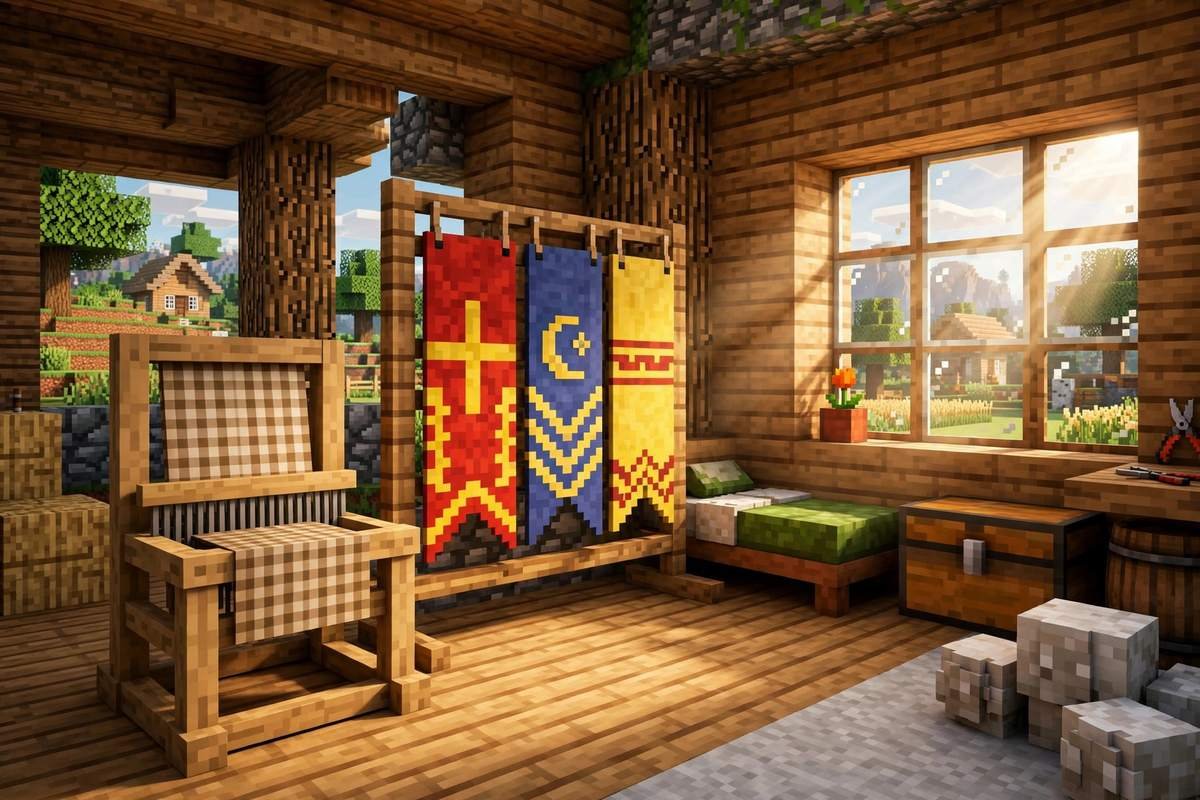
Banners are how you turn a plain base into your base — a clan flag over the gate, a coloured crest on your shields and beds, a warning sign above a dangerous mine. The block that makes all of that easy is the loom. In this guide you’ll learn how to make a loom in Minecraft, where to find one for free, how its three-slot interface works, how to layer up to six patterns into one design, which special pattern items exist and where they come from, and how the same block gives you a shepherd villager with some of the best decoration trades in the game.
Loom at a Glance
| Fact | Detail |
|---|---|
| Crafting recipe | 2 string + 2 planks (any type) |
| Main job | Applies patterns to banners using dyes |
| Pattern layers per banner | Up to 6 |
| Villager job it creates | Shepherd |
| Found naturally in | Village shepherd houses, trail ruins |
| Best tool to mine it | Axe (any tool works) |
| Bonus uses | Furnace fuel (smelts 1.5 items), bass note block base |
The Loom Recipe: 2 String + 2 Planks
The loom has one of the cheapest recipes of any workstation block:
| String | String |
| Planks | Planks |
Place two string in the top row and two planks directly underneath them. Any plank type works — oak, spruce, bamboo, warped, mixed woods, it doesn’t matter — and because the recipe is only 2×2, it fits in the crafting grid of your inventory. You don’t even need a crafting table.
Where to Get the String
String is the only ingredient that needs a little hunting. Reliable sources:
- Spiders and cave spiders — each drops 0–2 string on death. A quick night hunt usually covers a loom and more.
- Cobwebs — break them with a sword or shears in mineshafts, strongholds, and igloo basements to get string back.
- Jungle temples and dungeons — string appears in their loot and traps (temple tripwires are literally string).
Planks are never the problem: four planks come from a single log, and you only need two.
Or Skip Crafting: Find a Free Loom
If you’re near a village, check the shepherd’s house first — looms generate there as part of the building, and you can mine one with any tool (an axe is fastest) and take it home. Looms also generate in trail ruins, the buried structures you excavate with a brush. Stealing the village loom has one side effect: if a shepherd was using it as a job site, he’ll lose his profession unless he’s already traded with you (more on that below).
First, You Need a Banner
A loom does nothing without a banner to work on. Craft a blank banner with six wool of the same colour plus one stick: wool fills the top two rows of the crafting table, and the stick goes in the bottom-centre slot.
Two things to know before you commit:
- The base colour is permanent. A red banner stays red underneath everything you add. Pick the background colour first, then layer patterns on top.
- Wool colour = banner colour. There are 16 dye colours, so there are 16 possible base banners. Shepherds sell blank banners at expert level if you’d rather buy than shear sheep — and if you need a steady wool supply, our guide to taming and farming animals covers setting up sheep.
On Bedrock Edition there’s one extra trick: applying bleach to a banner turns it back into a plain white banner, patterns included. It’s the only survival “undo” for a design you don’t like.
How to Use the Loom, Step by Step
Right-click (or tap) the loom to open its interface. You’ll see three slots on the left:
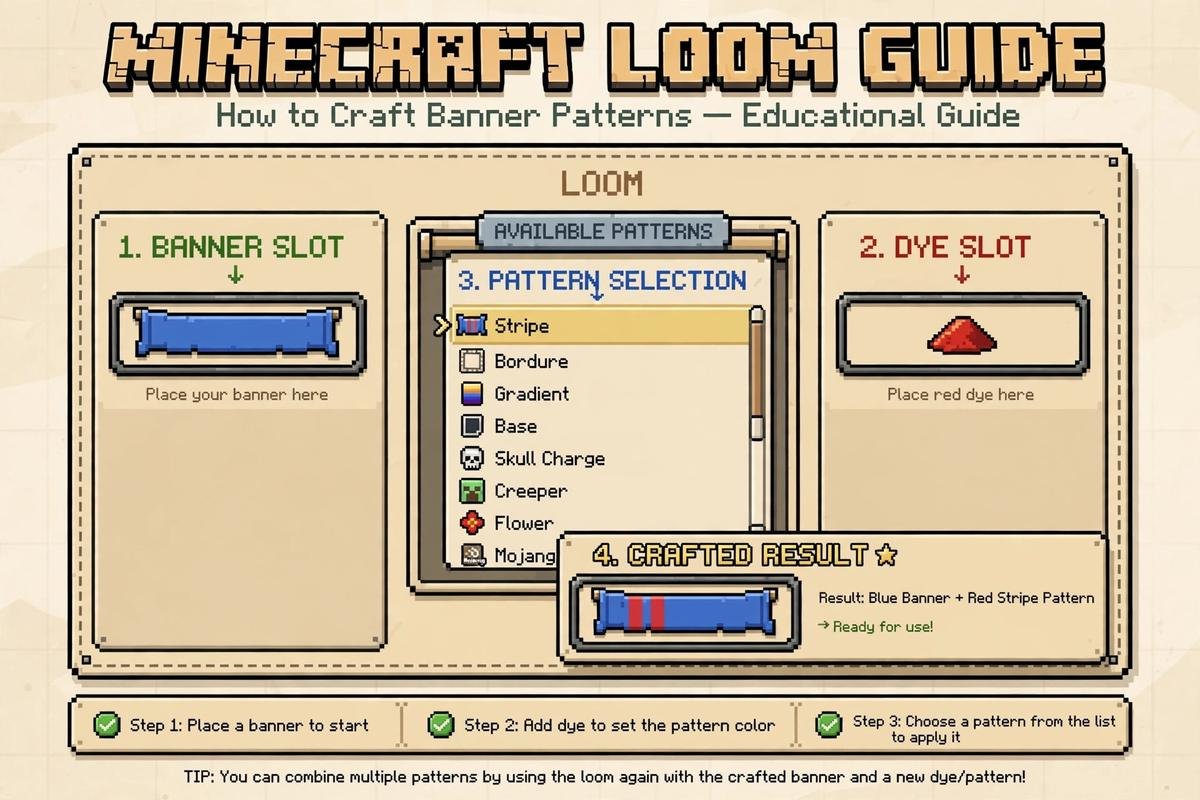
- Banner slot (top left) — put your blank or partly finished banner here. The pattern list appears in the middle of the screen as soon as a banner is loaded.
- Dye slot (top right) — add one dye. Every pattern you apply costs exactly one dye.
- Pattern slot (bottom) — optional. This is only for special banner pattern items (covered in the next section).
Then:
- Pick a pattern from the list. A live preview shows exactly how the banner will look.
- Take the finished banner from the output slot below the preview. The banner and dye are consumed; a pattern item, if you used one, is not consumed — it stays in its slot to be used again and again.
- Repeat to layer. Put the same banner back in and add another pattern on top. You can stack up to six layers, and later layers draw over earlier ones, so plan your order: backgrounds and borders first, the fine detail last.
That’s the whole mechanic — one dye per layer, six layers maximum, infinite re-use of pattern items.
Built-In Patterns: What You Get for Free
Most of the pattern list needs nothing but a dye. The built-in designs are heraldic-style building blocks that combine into almost anything:
- Halves and fields — split the banner top/bottom (Per Fess) or left/right (Per Pale), or fill a corner.
- Stripes and bends — vertical, horizontal, and diagonal bands in different widths.
- Crosses — an upright cross and a diagonal saltire.
- Bands — solid strips along the top (Chief) or bottom (Base).
- Borders — a plain Bordure frame, or an indented one.
- Chevrons — triangles pointing up or down, single or inverted.
- Shapes — a circle (Roundel), a diamond (Lozenge), and small corner marks.
- Gradients — fade the banner from its base colour to the dye colour, top-down or bottom-up.
A useful way to think about it: flat bands and halves build the background, borders frame it, and one shape in the middle becomes the emblem. Three to four layers is the sweet spot — past that, designs usually get muddy.
Special Banner Pattern Items
Ten patterns are locked behind dedicated banner pattern items. With the item in the pattern slot, the loom shows only that design. Six of them are crafted from a sheet of paper plus a rare ingredient; one, the Globe, is bought from a villager; and three — Snout, Flow, and Guster — can’t be crafted at all: they only turn up as loot in dangerous structures.
| Pattern item | How to get it | Design it adds |
|---|---|---|
| Flower Charge | Craft: paper + oxeye daisy | A simple flower |
| Creeper Charge | Craft: paper + creeper head | A creeper face |
| Skull Charge | Craft: paper + wither skeleton skull | A skull and crossbones |
| Thing | Craft: paper + enchanted golden apple | The classic Mojang logo |
| Snout | Loot: bastion remnant chests (~10% chance) | A piglin snout |
| Globe | Trade with a master-level cartographer villager (8 emeralds) | A pixelled globe |
| Field Masoned | Craft: paper + bricks | A brick-wall pattern |
| Bordure Indented | Craft: paper + vines | A wavy-edged border |
| Flow | Loot: trial chambers ominous vaults (15% chance) | Swirling wind lines |
| Guster | Loot: trial chambers vaults and reward chests (~4.2% chance) | A gust face |
Notes that save frustration:
- Heads are the grind. Creeper heads only drop when a charged creeper kills another creeper, and wither skeleton skulls are a rare drop boosted by Looting — so the Creeper Charge and Skull Charge patterns are genuine trophies.
- Flow and Guster are the newest patterns, and trial chambers are the only place to find them: Flow hides in ominous vaults (you’ll need ominous trial keys, earned from ominous trials), and Guster turns up in regular vaults and reward chests. Snout is structure loot too, buried in bastion remnant chests in the Nether. None of the three has a recipe — raiding is the only way, which makes them the hardest patterns to collect.
- Pattern items are never consumed. Craft, loot, or buy one once, and it will decorate every banner you ever make.
Copying a Finished Design
Once you’ve built a banner you’re proud of, you don’t have to rebuild it layer by layer for every wall of your castle. In Java Edition, put the finished banner in a crafting grid together with a blank banner of the same base colour and the design is copied onto it — the original is returned unharmed. It’s the fastest way to stamp out a matching set for a gate, a fleet of boats, or a row of beds. On Bedrock, the bleach reset mentioned earlier is your design-management tool instead.
The Loom’s Second Job: Shepherd Villagers
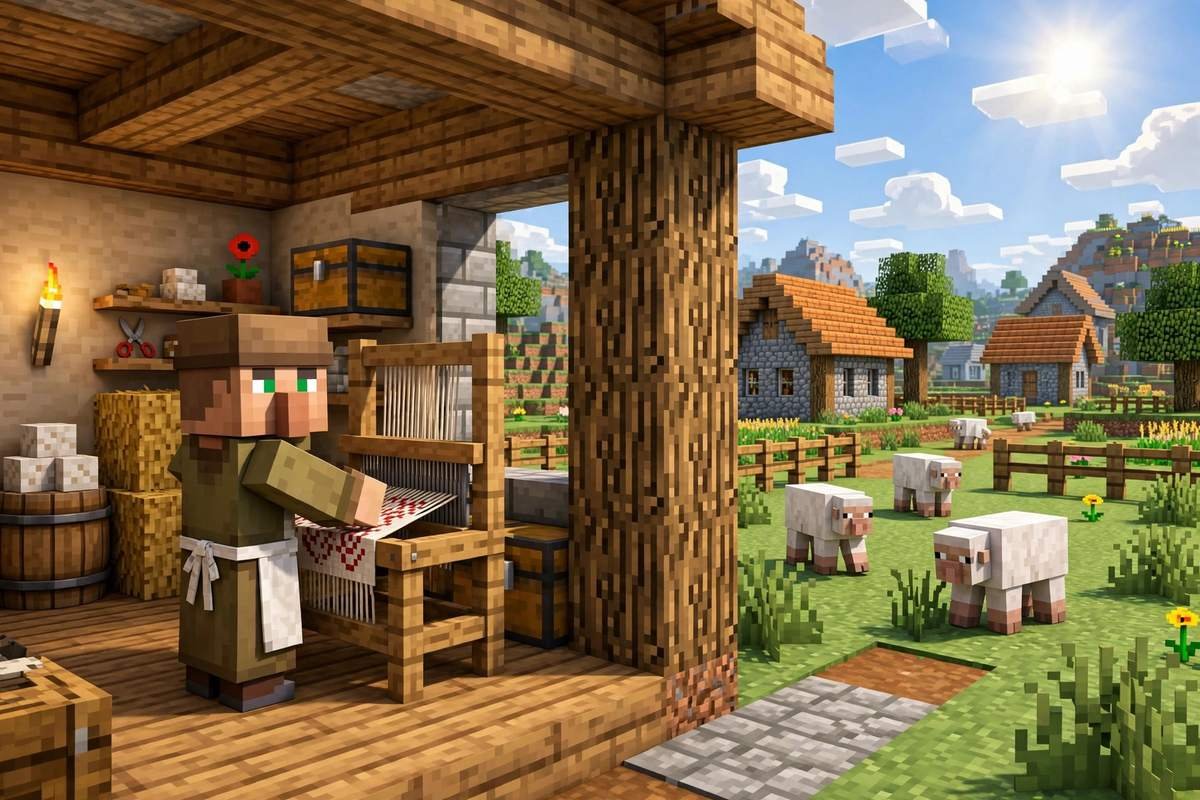
The loom is also a job site block. If an unemployed villager is near an unclaimed loom, he can claim it and become a shepherd — one of the most useful decoration traders in the game:
| Level | Key trades |
|---|---|
| Novice | 18 wool (any colour) → 1 emerald; 2 emeralds → shears |
| Apprentice | 12 dyes → 1 emerald; 1 emerald → wool or carpet |
| Journeyman | 3 emeralds → a bed (any colour) |
| Expert | 3 emeralds → a blank banner (any colour) |
| Master | 2 emeralds → 3 paintings |
Why shepherds are worth keeping:
- They’re an emerald pump. A modest sheep farm produces wool faster than you can use it, and the shepherd converts 18 wool into an emerald, restocking twice a day.
- They complete the decorating loop. The same villager sells you blank banners to decorate at his own loom — and at master level sells paintings, the other half of interior design. Our texture pack guide pairs well with both when you’re finishing a build’s interior.
- Rules to remember: a villager who has never traded will lose the shepherd job if you break his loom (handy if you wanted a different profession). Once you’ve traded with him even once, his profession and trades lock in permanently — break the loom and he’ll simply wait for a replacement to restock.
For a full walkthrough of getting villagers set up, see our tips and tricks page.
Troubleshooting Common Loom Problems
The pattern list is empty. There’s no banner in the banner slot. The list only appears once a banner is loaded.
A pattern shows but nothing happens when I click it. You need a dye in the dye slot. No dye, no preview, no output.
The special pattern I want isn’t listed. Special designs never appear in the default list — the matching pattern item must be sitting in the bottom slot, and then it’s the only design shown.
My villager won’t become a shepherd. Check three things: the villager must be unemployed (or a nitwit will never take any job — green-coated villagers can’t work), the loom must not already be claimed by another shepherd, and the villager must be able to pathfind to the loom during work hours.
I ran out of layers. Six is a hard cap. If your design needs more, simplify: merge a background band into the base colour choice, or drop a border — most strong designs use four layers or fewer.
Frequently Asked Questions
How do you make a loom in Minecraft?
Craft it with 2 string over 2 planks in a 2×2 square. Any plank type works, and the recipe fits in your inventory crafting grid — no crafting table required. You can also find looms ready-made in village shepherd houses and trail ruins.
How many patterns can one banner hold?
A banner can hold up to six pattern layers, each costing one dye. Layers stack in the order you apply them, with newer patterns drawn on top of older ones.
Is the banner pattern item used up in the loom?
No. When you take the finished banner, only the banner and the dye are consumed. The banner pattern item stays in its slot and can be reused unlimited times — craft the rare ones once and keep them forever.
Can I remove a pattern from a banner?
Not selectively. In survival there’s no way to peel off a single layer, so preview carefully before taking the result. On Bedrock Edition, applying bleach resets a banner to plain white, clearing its patterns entirely.
How do I get a shepherd villager?
Place a loom near an unemployed villager. If the loom is unclaimed, he can take the shepherd profession and offer wool, dye, bed, banner, and eventually painting trades. Once you’ve traded with him, his job is locked in even if the loom is moved.
Conclusion
The loom is a four-item craft that unlocks Minecraft’s whole banner system: six stackable layers per banner, dozens of built-in designs, ten special pattern items to hunt down, and a shepherd villager who funds your decorating with emerald trades. Craft one early, park it next to a sheep pen, and your base gains a flag worth flying. For the full technical reference, the Minecraft Wiki’s loom page documents every pattern and trade, and our blog has more build and decoration guides to put your banners to work.