Minecraft Mod APK Download
Free Latest Version
Download Minecraft mods For Mobile safely for Java and Bedrock, with honest guidance on every type. PC players get loader mods, Android players get add-ons, and this page states plainly what works on each device and what does not.
| Item | Detail |
|---|---|
| Mod name | Minecraft Mods — Java Mods + Bedrock Add-Ons |
| Type | Fan-made mods guide (not by Mojang or Microsoft) |
| Main platform | PC (Java) + Android (Bedrock) |
| Loaders | Forge, Fabric, NeoForge, Quilt (Java only) |
| File types | Java: .jar / Bedrock: .mcaddon, .mcpack |
| Price | Free (game itself is paid) |
| Official website | None — Modrinth / CurseForge |
Contents
- Minecraft Mods at a Glance
- Minecraft Mods vs Add-Ons vs Modded APKs — Know the Difference
- Which Mod Type Fits Your Device?
- Java Mods — Loaders First, Then Mods
- Best Minecraft Mods to Start With
- Bedrock Add-Ons on Android Minecraft Mods for Android
- Are Minecraft Mods Safe?
- Mods Not Working? Quick Fixes
- What This Site’s Downloads Actually Are
- What You’ll Find on This Site
- What We Do NOT Offer
- Choose the Right Source
- Frequently Asked Questions
Minecraft Mods at a Glance
Minecraft mods are community-made content that changes how Minecraft looks, plays, or behaves. On a PC, Java Edition mods install as .jar files through a loader such as Fabric, NeoForge, or Forge. On Android, Bedrock Edition content is called add-ons instead, and it installs as .mcaddon or .mcpack files with no loader and no root. This page answers the search in full: which type fits your device, the best mods to start with, and how to download minecraft mods and install them safely.
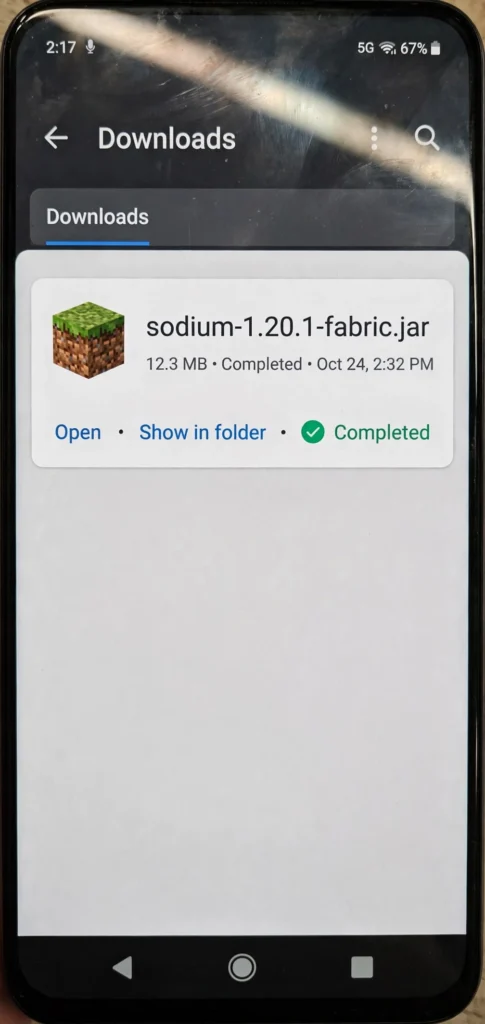
- PC (Java) → loader mods (.jar): start with Fabric plus Sodium, then add content mods one at a time.
- Android (Bedrock) → add-ons (.mcaddon or .mcpack): tap to import, then activate both packs in world settings.
- iPhone or console → Marketplace add-ons and Realms content only: no sideloaded mods install on either platform.
Two honesty lines run through the whole page, so read them before you download anything. First, community mods and add-ons add content made by players, and they never unlock paid or premium features. Second, our own downloads are standard game builds only, and every mod or add-on on this page comes from its creator on CurseForge, Modrinth, MCPEDL, or the Marketplace.
Minecraft Mods vs Add-Ons vs Modded APKs — Know the Difference
Three things get mixed up under the word mod, and the mix-up causes most bad downloads. A Java mod is community-made content that runs inside Java Edition through a loader, and it can add mobs, machines, dimensions, or whole game systems. A Bedrock add-on is the official customization system for Bedrock Edition, and it changes a world through a resource pack and a behavior pack without touching the game app itself. A modded APK is a modified copy of the Android game file, and it replaces the app rather than adding content to it.
| Type | Platform | How it installs | What it changes | Risk |
|---|---|---|---|---|
| Java mods | PC (Java Edition) | .jar file into the mods folder, through a loader | Gameplay, mobs, items, systems | Low when sourced from established creators |
| Bedrock add-ons | Android, console, Windows (Bedrock) | .mcaddon / .mcpack tap-to-import, then activated in a world | Looks, rules, loot, recipes, scripts | Low from the Marketplace and known creator pages |
| Modded APKs | Android only | Replaces the game app file | Whatever the file maker baked in — unverifiable | Higher: unknown source, no update path, possible malware |
Players searching for the Minecraft Bedrock Edition APK are looking for the game file itself, not a mod, because add-ons are what change that file’s worlds. A search for a Minecraft PE mod APK usually means a modified game file, not an add-on, and this page does not offer modified files. Community mods do not unlock paid or premium features, they do not hand out Minecoins, and they do not turn a standard game into a premium edition. Any file that promises unlocked premium content is an unofficial build making a claim its maker cannot back, and it is not supported by Mojang.
Before any download, ask three questions that filter out most bad files. Who made it, what file type is it, and which game version does it list as supported. If any answer is missing or vague, skip the file and find the same content from its creator instead.
- Maker: a named creator with an update history you can check.
- File type: .jar for Java, .mcaddon or .mcpack for Bedrock, never an APK or EXE for a mod.
- Version: the exact game version the content lists as supported.
Which Mod Type Fits Your Device?
If your question is Minecraft mods for mobile, the answer depends on the phone in your hand. A PC running Java Edition gets the full modding scene, with loaders, modpacks, and thousands of community mods. An Android phone running Bedrock Edition gets add-ons, which are the only supported way to change Bedrock worlds, while an iPhone gets no sideloaded mods at all and a console gets Marketplace and Realms content only.
| Device | What works | What does not work | Start here |
|---|---|---|---|
| PC — Java Edition | Full mods via Fabric, NeoForge, or Forge; modpacks; shaders | Nothing blocked — this is the modding platform | Java mods — loaders first |
| Android — Bedrock | Add-ons (.mcaddon / .mcpack), texture packs, skins | Java .jar mods do not run on Bedrock | Bedrock add-ons on Android |
| Android — Java via launcher | Java mods through a launcher setup (this is what a Minecraft Java Edition APK search usually means), with phone limits | Heavy modpacks and shaders strain phones | Our Java Edition guide |
| iPhone / iPad | Marketplace add-ons and Realms content only | No sideloaded mods, no APK installs | Our iOS guide |
| Console | Marketplace and Realms content only | No mods, no add-ons from outside sources | Our Bedrock add-ons section |
If mods are your priority, Java Edition on a PC is the honest answer. It has the deepest modding scene, the most maintained loaders, and the largest library of community content. Every other device involves a trade-off, and the sections below explain each one before you download anything.
Java Mods — Loaders First, Then Mods
Fabric vs NeoForge vs Forge in 2026
A loader is the tool that lets Java Edition run mods, and you pick the loader before you pick any mod. Fabric is the lightweight choice, and it suits performance mods and players who want a fast, simple setup. NeoForge is the current home for content and technology mods on newer versions, and it carries the torch from the older Forge project. Forge itself is now mainly the right choice for older modpacks, because most new content has moved to Fabric or NeoForge.
| Loader | Best for | Typical mods |
|---|---|---|
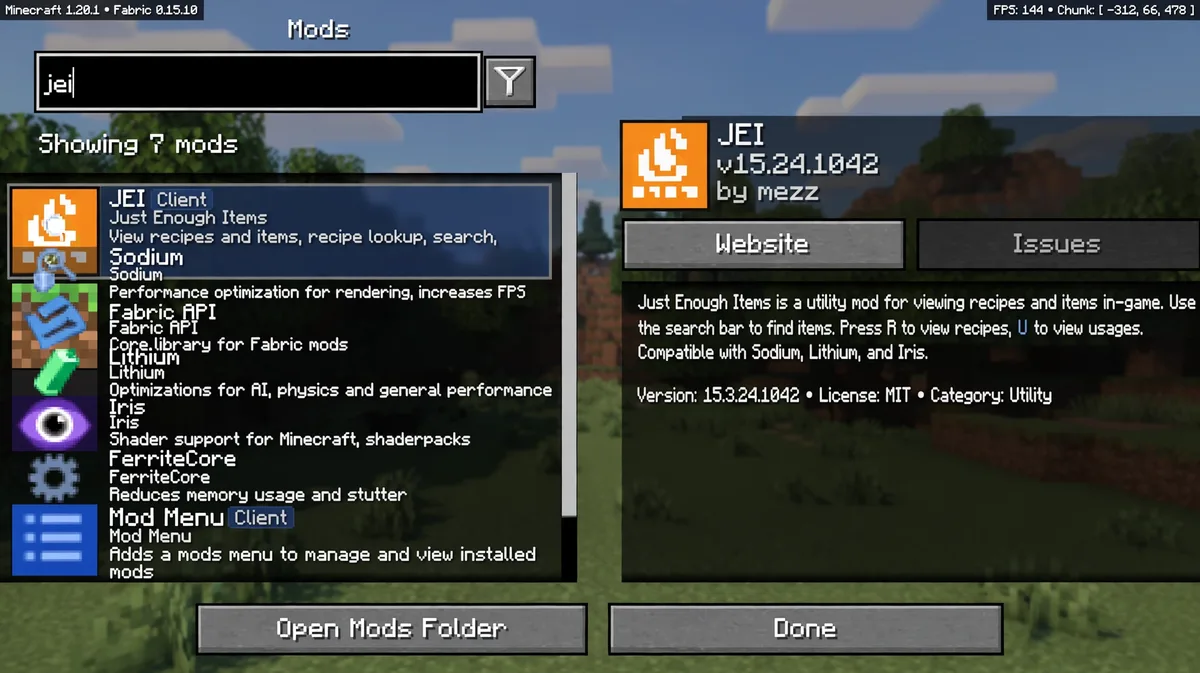
| Fabric | Lightweight setups, performance mods | Sodium, Lithium, Iris, FerriteCore |
| NeoForge | Content and technology mods on newer versions | Create, Applied Energistics 2, Mekanism-style tech mods |
| Forge | Older modpacks and long-running modded worlds | Classic 1.7.10 and 1.18.2-era modpacks |
Newer versions need a current Java runtime, and the newest year-based versions need Java 25, so check the runtime before you install a loader. OptiFine in 2026 is a narrower story than its name suggests: its last stable release (HD U J9, February 2026) covers 1.21.11, newer versions have previews only, and most players now run Iris plus Sodium instead. Our mods guide tracks both the loader picker and the current Java requirement, so use it to confirm your exact combination before you download.
How to Install Minecraft Mods on PC in 6 Steps
This is the Minecraft Java mods download path in short: loader installer first, then .jar files into the mods folder. A Minecraft mod installer such as the Modrinth App, Prism, or the CurseForge app can handle the loader and the mods folder for you. The manual steps below show what the installer does, so you can fix it when anything goes wrong.
- Download and run the installer for your chosen loader (Fabric, NeoForge, or Forge) for your exact game version.
- Launch the game once with the loader profile, then close it — this creates the mods folder.
- Drop the mod’s .jar file into the mods folder, and never extract it.
- For Fabric mods, add the Fabric API .jar as well, since most Fabric mods need it.
- Relaunch the game with the loader profile and check that the mod appears in the mods list.
- If the game crashes, check the version match first: the mod, the loader, and the game version must all agree.
Our mods guide walks through this process with the current Java requirement for newer versions, and it lists the launchers that bundle the steps above. The short version of the rule is simple, and it prevents most failures: a mod built for one version does not run on another. If your favourite mod only supports an older version, our Old Version page lists the builds players use for that purpose.
Java Versions and Version Matching
Version matching is non-negotiable in Java modding, and it is the rule behind the old-version scene. The 1.7.10 era remains the centre of an enormous old Forge modding library, and 1.18.2 became a stable long-term base for modpacks after the Caves and Cliffs Part II update. When a mod page lists its supported versions, treat that list as final, because a newer game version does not make an older mod work. The same rule covers servers and friends: everyone on a modded server needs the same mod list, or the connection will fail.
Best Minecraft Mods to Start With
Start small, and add one category at a time, because a short working mod list beats a long broken one. Performance mods come first for most players, since they make the game smoother before you change anything else. Content mods come second, once your game runs well, and shader packs come last, since they cost the most performance. Our mods guide covers several of these in more detail, and this page links to it rather than repeating it.
Best Performance Mods
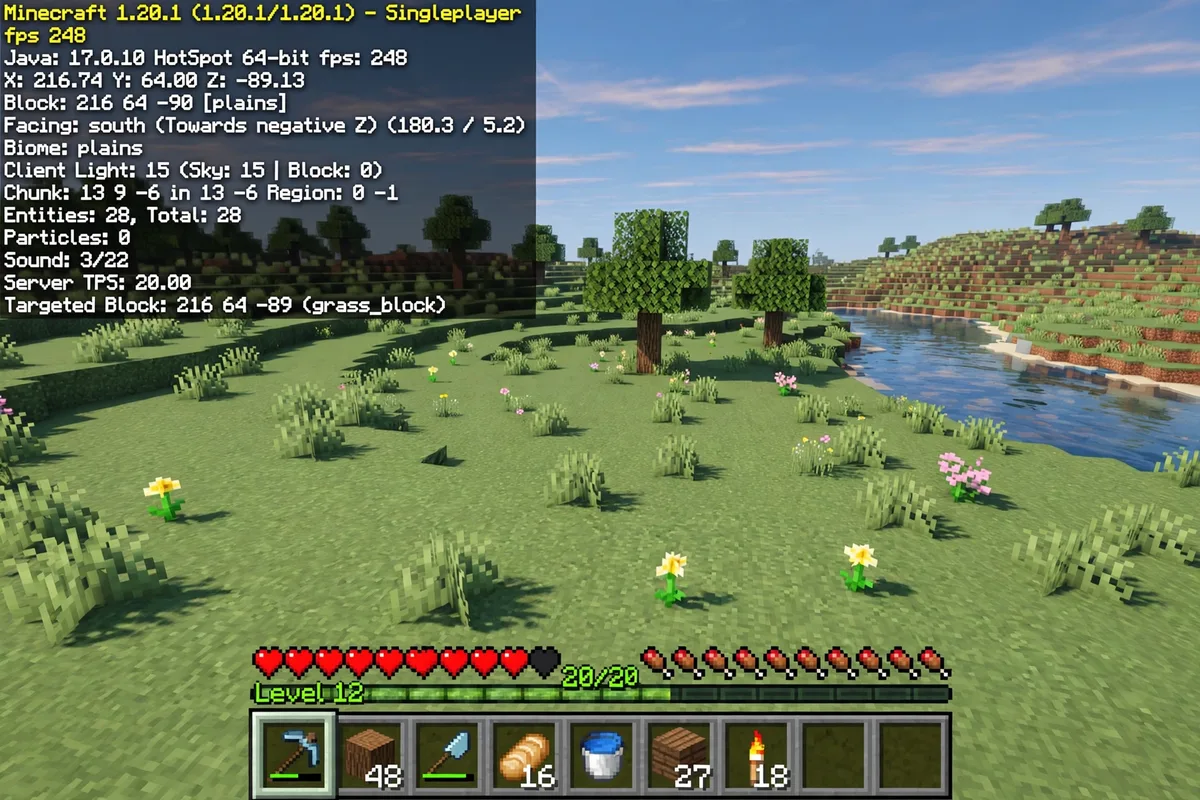
For Minecraft mods for low end PC, start with Sodium and Lithium before adding anything heavier. Performance mods raise frame rates and cut stutter, and they are the safest first mods for any Java player. Sodium is the best-known FPS mod on Fabric, and it pairs with Iris when you want shaders too. Lithium and FerriteCore cut server-side and memory load in the background, while Entity Culling skips rendering mobs you cannot see, and Distant Horizons extends the render distance but is still beta software, so treat it as experimental rather than essential.
| Mod | What it does | Loader |
|---|---|---|
| Sodium | Raises FPS by rewriting the renderer | Fabric |
| Lithium | Cuts tick lag without changing gameplay | Fabric |
| FerriteCore | Lowers memory use | Fabric, NeoForge, Forge |
| Iris | Adds shader support, pairs with Sodium | Fabric, NeoForge |
| Entity Culling | Skips hidden entities to save frames | Fabric, Forge |
| Distant Horizons (beta) | Extends render distance far beyond vanilla | Fabric, NeoForge |
Two more proven names belong on the same list, and both are worth knowing before you finalize a performance setup. ImmediatelyFast speeds up text and HUD rendering, which helps on weaker machines and busy screens. ModernFix targets loading and memory issues, so check each mod’s own page for its loader and supported versions before installing.
The Sodium vs OptiFine question comes up often, and the practical answer in 2026 is Iris plus Sodium. OptiFine remains a known name, but its stable releases lag behind newer versions while Iris plus Sodium is the route most players actually run today. Either way, a performance mod changes how the game renders, not what you own, and no performance mod unlocks paid content.
Best Content Mods
Content mods add new things to play with, and the best ones to start with are the ones with years of maintenance behind them. Create adds engineering and automation, with moving parts you build yourself, while Cobblemon brings creature collecting into the game world. Twilight Forest adds a full new dimension to explore, and Biomes O’ Plenty adds new biomes and environments to the overworld. JEI shows every recipe in-game, Xaero’s Minimap adds a live map with a companion world map, JourneyMap adds a full map with waypoints, AppleSkin explains food and hunger clearly, and Applied Energistics 2 adds a deep storage system for technical players.
| Mod | What it adds | Good for |
|---|---|---|
| Create | Engineering, gears, automation | Builders and technical players |
| Cobblemon | Creature collecting and battles | Explorers |
| Twilight Forest | A new dimension with bosses | Adventurers |
| Biomes O’ Plenty | New biomes and plants | Explorers and builders |
| JEI (Just Enough Items) | In-game recipe lookup | Every player |
| Xaero’s Minimap | Live map and waypoints | Explorers |
| JourneyMap | Full map with waypoints | Explorers |
| AppleSkin | Clear food and hunger info | Survival players |
| Applied Energistics 2 | Digital storage networks | Technical players |
| Terralith | Richer vanilla-style terrain | Explorers |
| Alex’s Mobs | New creatures with natural behaviors | Explorers |
| Sophisticated Backpacks | Bigger, upgradeable backpacks | Survival players |
| Waystones | Fast travel between discovered points | Explorers |
| Nature’s Compass | Points to the biome you choose | Explorers |
| Mouse Tweaks | Faster inventory dragging and sorting | Every player |
| Botania | Nature-powered magic and automation | Technical players |
| Mekanism | Machines, ore processing, power systems | Technical players |
Pick your first three by the way you actually play, not by a popularity list. Explorers get the most from a map mod plus a biome mod, builders get the most from Create plus a storage mod, and survival players get the most from AppleSkin plus a backpack mod. Add one, play with it for a full session, and only then add the next, because a short list you understand beats a long list you cannot debug.
Best Shader Packs
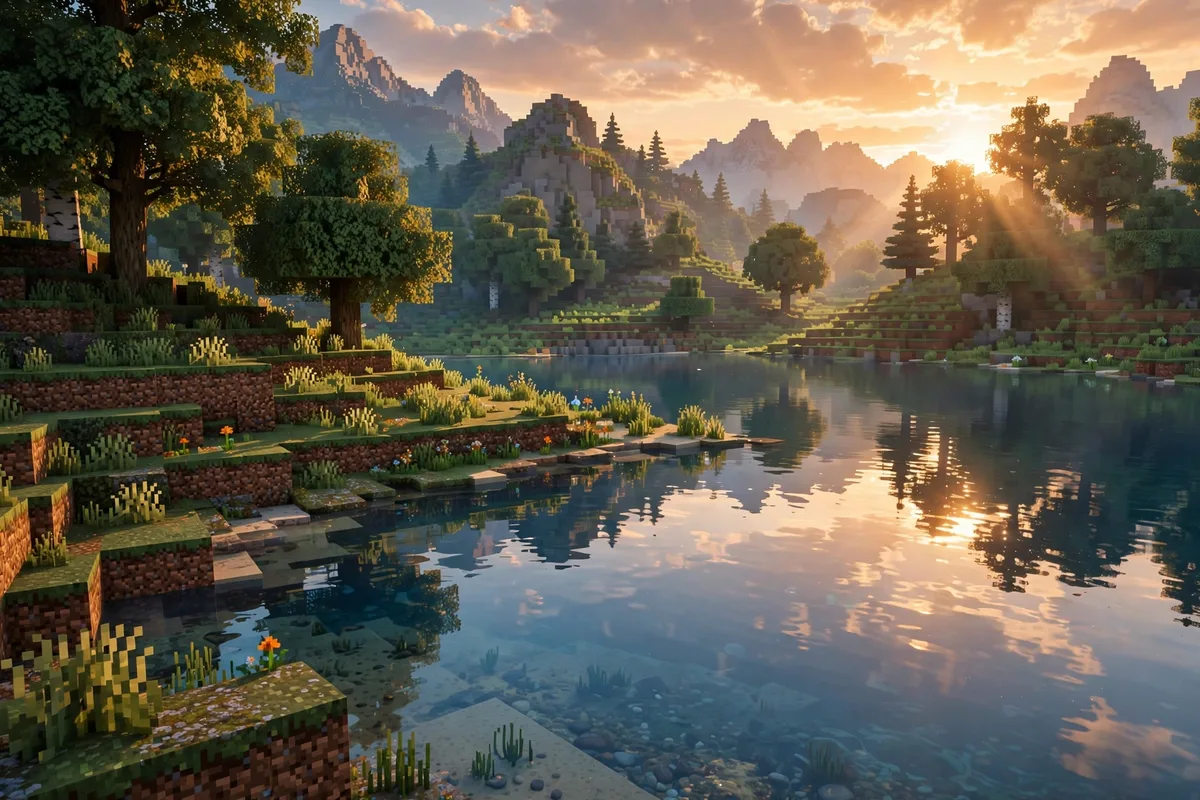
Shader packs change light, shadows, water, and sky, but they do not change gameplay at all. Complementary Reimagined and BSL are the two most popular balanced packs, and both work through Iris or OptiFine. Sildur’s Vibrant Lite and MakeUp Ultra Fast are the lighter choices, and they suit weaker PCs or players who want a small visual lift. For Minecraft shaders for Android, Bedrock does not take Java shader packs — its built-in Vibrant Visuals option is the equivalent, covered in our texture packs guide.
| Pack | Look | Cost |
|---|---|---|
| Complementary Reimagined | Balanced, warm, clean | Medium |
| BSL | Cinematic, bright, soft shadows | Medium to high |
| Sildur’s Vibrant Lite | Light lift, low demand | Low |
| MakeUp Ultra Fast | Fast, simple, bright | Low |
| Photon | Sharp, modern, detailed | High |
| Bliss | Soft, dreamy, gentle light | Medium to high |
Shader files go in the shaderpacks folder, not the mods folder, and that single mistake explains many “shader not working” reports. A shader pack always costs performance, so if frames drop, switch to a lighter pack before blaming your mods. For the realistic PBR route, Java players use shaders while Bedrock players use built-in Vibrant Visuals or RTX on Windows with a ray-tracing GPU, and our texture packs guide compares those routes.
Best Minecraft Modpacks
A modpack bundles dozens of mods into one install, so you skip picking mods one by one. Well-known packs such as All the Mods, Better MC, and RLCraft each bundle a whole theme — kitchen-sink variety, improved vanilla, or brutal survival. A pack still follows the same rules as single mods: it needs its loader, its game version, and more memory than vanilla, which you set in the launcher’s memory setting. Our mods guide also mentions modpacks, so check there before installing a huge pack blind.
Bedrock Add-Ons on Android Minecraft Mods for Android
This section is the Minecraft mods for Android answer: Bedrock add-ons, installed as .mcaddon or .mcpack files with no root. Players often search for Minecraft Bedrock mods, and on Bedrock these are called add-ons, so this section covers exactly that system. The Minecraft Pocket Edition APK is the Android game file, and the add-ons on this page are the content you add to it, not a second game file. The rules below work on any Android phone running Bedrock Edition, and they need no launcher, no root, and no file manager tricks.
What an Add-On Is
Minecraft addons for Bedrock are the official customization system, built from a resource pack and a behavior pack. The resource pack changes how things look and sound, while the behavior pack changes rules, loot, recipes, and scripts. Together they let creators add mobs, items, and mechanics to Bedrock worlds, but they are not Java mods in a different wrapper.
- .mcpack — a single pack (resource or behavior).
- .mcaddon — a bundle of both packs in one file.
- .mcworld — a complete world file, not an add-on.
- .zip — an archive that sometimes needs renaming to .mcaddon before it imports.
How to Install Minecraft Add-Ons in 4 Steps
- Download the add-on file (.mcaddon for a bundle, .mcpack for a single pack) from a real source.
- Tap the file, and Minecraft will import it automatically — no root, no launcher, no file manager tricks.
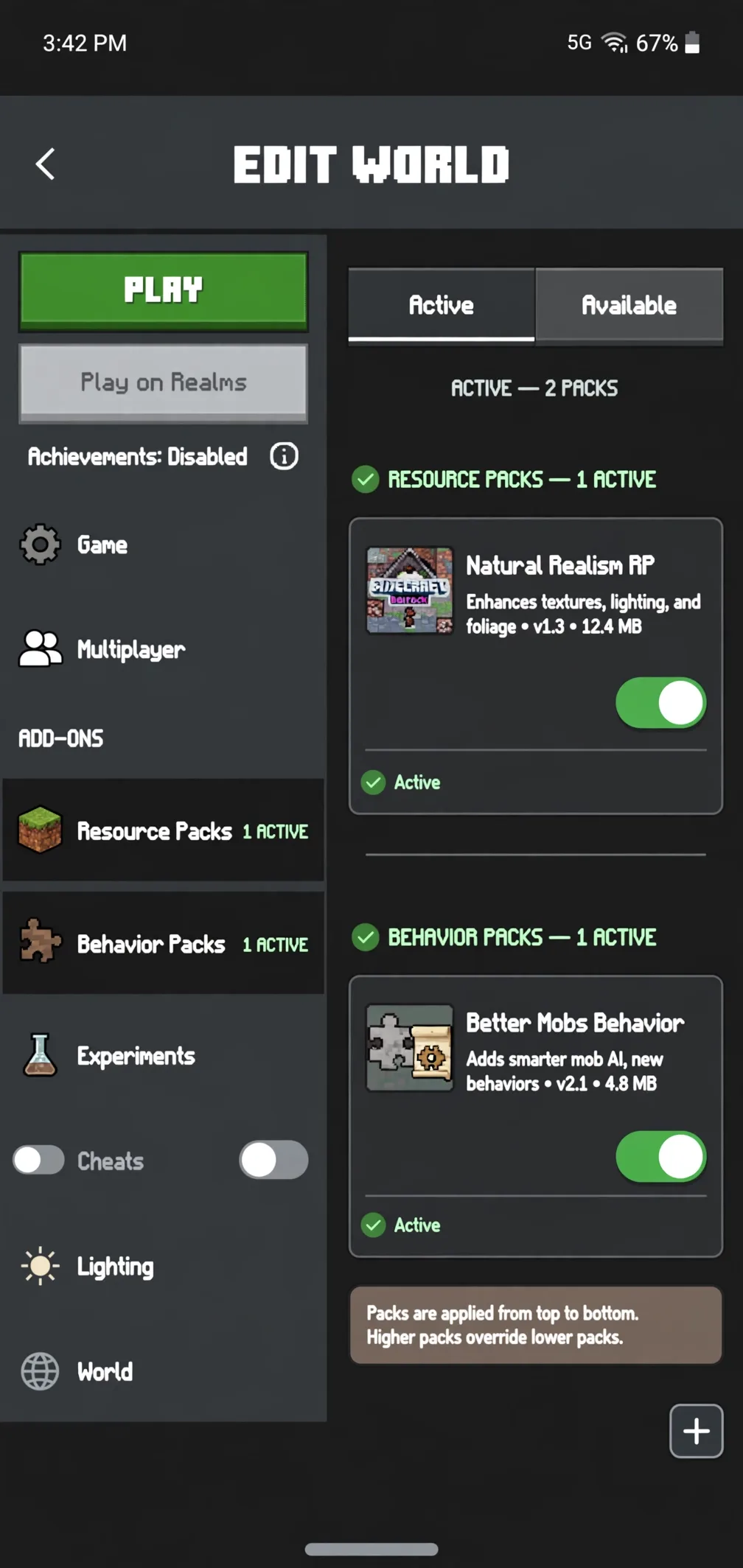
- Open your world settings, go to Resource Packs and Behavior Packs, and activate both halves.
- If the add-on needs experimental features, turn on the required toggles (such as Beta APIs) in the world settings, then test in a copy of your world first.
No root is needed for add-ons, and no Java .jar file is involved at any step. Match the add-on’s listed supported version before you install it, and activate both halves in world settings before you judge whether it works. If the game version and the add-on version disagree, the add-on may look installed and still break in play.
Achievements Warning
Behavior packs switch achievements off for a world, and that change is permanent for that world. Resource-only packs do not affect achievements, so a pure texture or skin pack is safe on that front. If achievements matter to you, test the add-on in a copy of your world first, because there is no toggle that turns them back on for that world. A few add-ons are labelled achievement friendly by their creators, and our add-ons guide explains which ones qualify.
Where to Get Add-Ons Safely
The safest sources are the ones with a real creator behind them. The Minecraft Marketplace is the official store, with some free content and some paid in Minecoins, while CurseForge hosts a large library of Bedrock add-ons. MCPEDL is a long-running community site, and many creators also publish on their own pages. Avoid downloader apps, avoid any add-on that arrives as an APK or EXE file instead of a pack file, avoid pages with fake download buttons, and never give any site your Microsoft password for a pack.
Texture Packs, Skins, and Maps — The Customization Family
Skins, texture packs, and data packs are the lighter side of customization, and they suit players who want a fresh look without new mechanics. A skin changes only your character’s appearance, using the 64×64 template, while a texture pack (also called a resource pack) changes how blocks, items, and sounds look and feel. Data packs are the Java-only cousin: they change loot, recipes, and rules without any mod loader at all. Our texture packs guide and skins guide cover each family in depth, with install steps for Java and Bedrock, and the named packs below are the ones those guides compare.
| Type | What it changes | Format | Guide |
|---|---|---|---|
| Texture / resource pack | Looks and sounds only | .zip (Java), .mcpack (Bedrock) | Texture packs guide |
| Skin | Your character’s appearance only | 64×64 PNG | Skins guide |
| Data pack (Java) | Loot, recipes, rules — no loader needed | .zip in the datapacks folder | Mods guide |
| Map | A world to explore, built by someone else | .mcworld | No dedicated guide yet (see below) |
Named texture packs show how wide the choice runs: Faithful keeps the vanilla look sharper, Mizuno’s 16 Craft gives a crafted 16-pixel style, Bare Bones strips everything back to flat colors, and Chroma Hills goes for a detailed cartoon world. Skin makers publish on The Skindex, Nova Skin, and Planet Minecraft, and the Skinseed app covers phones, while every skin still comes down to one 64×64 PNG. Our texture packs guide compares the full list with resolutions and hardware demand, so start there before you download a heavy pack for a weak device.
Minecraft maps are the honest gap in our coverage, and this page does not pretend otherwise. Other sites publish hundreds of map posts, but our site has only incidental mentions of maps so far, and no dedicated maps library exists here yet. Until a maps guide is written, treat the maps row above as a marker of what is missing, not as a download offer. The same honesty applies to shaders: our site has no dedicated shaders library yet, so this page covers shaders as one section and links onward instead of pretending otherwise.
Are Minecraft Mods Safe?
Mods are safe when they come from established creators on known platforms, but no platform guarantees every upload it hosts. CurseForge, Modrinth, MCPEDL, and the Marketplace are the safer routes, because creators there have reputations and update histories you can check. Before you install anything, back up your worlds, scan the downloaded file, and read the mod’s own page for its supported version and dependencies. A mod from a random re-upload site carries the same risk as any unknown file, and popularity alone is not proof of safety.
Run this two-minute checklist before every install, and most bad downloads never reach your game. It covers the four things that actually predict a safe install: version, backup, achievements, and source. Skip any file that fails even one of them, because a single missing answer is enough reason to walk away.
- Supported version: the content lists a game version that matches yours.
- Backup: your worlds are copied before you activate anything new.
- Achievements: you know whether a behavior pack switches them off for that world.
- Source: the file comes from the creator, the Marketplace, CurseForge, Modrinth, or MCPEDL.
The same honesty applies to the phrase is Minecraft mod APK safe, which many players search for. A standard game build from this site is the unmodified game file we host, with its size and hash stated openly. A modified build from an unknown source is a different object with a different risk profile, and this page never blurs the two — if a download cannot tell you exactly what it contains, that silence is itself the answer.
Mods Not Working? Quick Fixes
Most mod failures follow one order, and checking in that order saves hours. First, check the version match: the mod, the loader, and the game version must all agree, or the game will not even start. Second, check the loader and its dependencies, since a missing Fabric API or a wrong loader version breaks mods that are otherwise fine. Third, check your Java runtime for newer versions, then check for conflicts by removing half your mods and re-adding them a few at a time, and read the crash report first, because it usually names the failing mod.
| Symptom | Most likely cause | Fix |
|---|---|---|
| Game crashes on launch | Version or loader mismatch | Match mod, loader, and game version exactly |
| Mod missing in-game | Missing dependency | Install the required API or companion mod |
| Crash after adding one mod | Conflict with another mod | Remove half, re-add a few at a time |
| Lag after adding shaders | Shader pack too heavy | Switch to a lighter pack (Sildur’s Lite, MakeUp Ultra Fast) |
| Bedrock add-on not working | Pack not activated | Activate both resource and behavior packs |
| Bedrock add-on half working | Only one half active | Activate the missing half in world settings |
| Bedrock add-on broken after update | Game version moved on | Download the add-on version matching your game version |
| Bedrock import failed | File type or source wrong | Download the .mcaddon or .mcpack from the creator, not a renamed archive |
| Bedrock pack not showing | Duplicate pack installed | Remove the duplicate from world settings and import once |
| Bedrock toggle off | Required experiment not enabled | Turn on the toggles the add-on lists, such as Beta APIs |
Bedrock failures have their own short list, and the top three cover most cases: the pack was never activated, only one half was activated, or an experimental toggle stayed off. Game updates break add-ons too, so a pack that worked last month may need its matching update after a new release. For the full troubleshooting tables, see our mods guide and add-ons guide, which carry the detailed steps this page summarizes.
Multiplayer has one extra rule that surprises new players. Content mods must match server-wide, so every player and the server need the same mod list, or the connection will fail. Client-side mods such as Sodium and Iris are usually fine on their own, since they change only your own rendering, but always check the server’s own mod rules before joining, since some servers ban specific packs, including ore-finder packs that give a mining advantage. On Realms and servers, the owner’s pack list rules, not yours, so a pack that works in your own world may simply not run there.
What This Site’s Downloads Actually Are
Know exactly what you’re downloading, where it comes from, and what each file includes.
Minecraft Preview
Version 1.26.70.21
✓ Standard build — not modified or unlocked
Minecraft Preview
Version 1.26.60.28
✓ Standard build — not modified or unlocked
Game APK and Add-ons Are Different
The Minecraft game file and add-ons are separate. Add-ons are additional content installed or imported separately.
What You’ll Find on This Site
Clear information about our files and external version references.
Listed Game Builds
Two standard Preview builds are listed with their version numbers and file sizes.
Separate Add-ons
Mods and add-ons are not bundled into our APK files. Get content from its creator.
External Version Links
The 13 other rows in the Old Version table link to MCPEDL, not files hosted on our server.
Platform Clarity
Android APKs are not iOS apps. For iPhone and iPad, use the App Store version.
What We Do NOT Offer
No unlocked, hacked, or modified APKs — just the facts and safe, official paths.
- × No unlocked or premium features
- × No multiple versions in one package
- × No direct APK uploads or mirrors
- × No mobile access to Java-exclusive mods
Be careful with sites promising free unlocked Minecraft APKs — they often contain malware. Get Minecraft only from trusted sources.
Choose the Right Source
Verify the source of the download before installing. This page focuses on honest Version information and official paths only.
Frequently Asked Questions
What is the difference between Minecraft mods and add-ons?
Mods are community-made content for Java Edition that install as .jar files through a loader such as Fabric, NeoForge, or Forge. Add-ons are Bedrock Edition’s official customization system, and they install as .mcaddon or .mcpack files that you activate inside a world. The two systems are not interchangeable, so a Java mod can never run on Bedrock and a Bedrock add-on can never run on Java.
How do I install Minecraft mods on Android?
How to install Minecraft mods on Android comes down to Bedrock add-ons: download a .mcaddon or .mcpack file, tap it to import it, and activate both packs in your world settings. Java mods need a launcher setup on Android, which runs Java Edition on your phone with real limits on heavy modpacks and shaders. For most Android players, add-ons are the supported route, and our add-ons guide covers the steps in full.
Do I need root to install Minecraft mods?
No root is needed for Bedrock add-ons, which import and activate through the game itself. Java mods on a PC need no root either, since they install through a loader into the game’s own folders. Any guide that tells you to root your phone for a mod is describing an unofficial method you do not need, and rooting adds security risks of its own.
Do mods disable achievements?
Behavior packs switch achievements off for a world, and that change is permanent for that world, so test add-ons in a world copy first. Resource-only packs do not affect achievements, since they change only looks and sounds. Java mods do not use the Bedrock achievement system at all, so the question only matters for Bedrock add-on players.
Can I use mods in multiplayer or on servers?
Content mods must match server-wide, so every player and the server need the same mod list for the connection to work. Client-side mods such as Sodium and Iris are usually fine on their own, because they change only your own rendering and not the shared world. Always check the server’s own mod rules before joining, since some servers ban specific packs, including ore-finder packs that give a mining advantage.
Can I install mods on iOS or console?
No sideloaded mods install on iOS, because the only legitimate iOS version is the paid App Store app and Apple does not allow outside game files. Consoles are the same story: Marketplace content is the only supported customization, and no outside mod or add-on installs. On both platforms, the honest answer is Marketplace add-ons and Realms content, and any site promising a free modded iOS install is making a claim it cannot keep.
Are Minecraft mods free?
Most free Minecraft mods and add-ons come from their creators on CurseForge, Modrinth, MCPEDL, and creator pages. Marketplace content is the exception, since some of it costs Minecoins, and a few creators offer optional paid extras elsewhere. A mod that demands payment for the game itself, or that promises paid content for free, is not a normal community mod.
Are Minecraft mods safe?
Mods from established creators on known platforms are the safer route, but no platform guarantees every upload, so back up your worlds and scan files before installing. The danger signs are consistent: unlocked-premium promises, Microsoft password requests, and Java mods delivered as APK or EXE files. Stick to creator pages and the platforms named in this guide, and treat any file that cannot explain itself as unsafe.
Which Minecraft version is best for mods?
The best version is the one your chosen mods list as supported, not the newest version on its own. Java modding has deep libraries on 1.7.10-era Forge and on 1.18.2-era modpacks, while newer versions suit Fabric and NeoForge content. Bedrock add-ons need the version their creator lists, so match the add-on to your game version and check our add-ons guide for the current stable build.
Should I pick mods or a modded APK?
Pick community mods or add-ons when you want new content from creators you can check, with a supported install path and an update route. A modded APK replaces the game app itself with a file whose contents you cannot verify, and it carries the higher risk described in this guide. If you want the game itself, use our standard hosted builds or the official stores, and add mods and add-ons on top of them.
Bedrock Addons
Bedrock addons change how the game looks and plays. They come as .mcaddon files. To install one, get the .mcaddon file from CurseForge or Modrinth or the Minecraft Marketplace. Open the file. Minecraft opens and imports the addon. Open your world settings. Turn the addon on in Behavior Packs and Resource Packs. Start the world. The addon is now active.
Java Mods
Java mods need a mod loader. The two common loaders are Fabric and Forge. Pick the loader your mod needs. Install the loader first. Then put the mod file in the mods folder. Launch Minecraft with the loader profile. The mod loads with the game. Get mods only from CurseForge or Modrinth.