Minecraft Java Edition APK — Free Download for Android (2026)
| Specification | Details |
|---|---|
| Application | Minecraft: Java Edition |
| Launcher | Amethyst Launcher |
| APK Size | Varies by Launcher & Game Files |
| Android Support | Android 8.0 and Above |
| Category | Gaming |
| License | LGPL-3.0 |
| Official Sources | pojavlauncher.net and GitHub |
Minecraft Java Edition is a paid Mojang product and isn’t sold as an APK for Android.
JAVA EDITION INTRODUCTION
Minecraft Java Edition is the original desktop version known for deep modding, custom servers and flexible gameplay. Android users can’t install an official Minecraft Java Edition APK directly, but a compatible launcher such as Amethyst can provide a way to run Minecraft Java Edition on Android. Unlike a typical Minecraft mod APK, this guide covers the real Java Edition experience for mobile.
Last updated: October 20, 2026.
Minecraft Java Edition APK And What You Need to Know
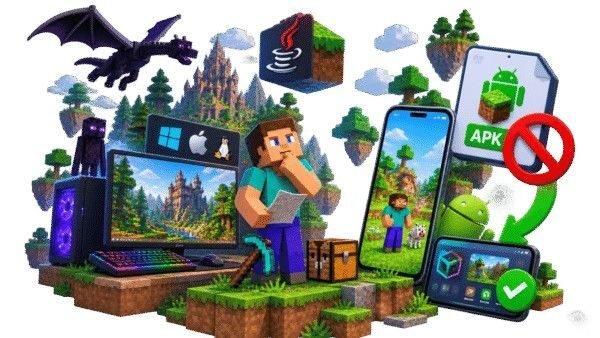
Minecraft Java Edition was built for desktop platforms and isn’t distributed by Mojang as a normal Android APK. The official mobile version is Bedrock Edition, while Java Edition remains the version associated with Windows, macOS and Linux.
If you see a website offering a “Minecraft Java Edition APK,” don’t assume the file is the real Java game. On Android, Java Edition requires a compatible third-party launcher rather than a simple APK installation.
Is There a Real Minecraft Java Edition APK?
There isn’t an official Minecraft Java Edition APK released by Mojang for Android. A genuine Java Edition experience on mobile works through a launcher that provides the environment needed to run the desktop game.
This distinction matters because many APK pages use “Java Edition APK” as a download keyword even when they’re actually offering Bedrock, a modified package or something unrelated.
What “Java Edition APK” Sites Are Actually Giving You
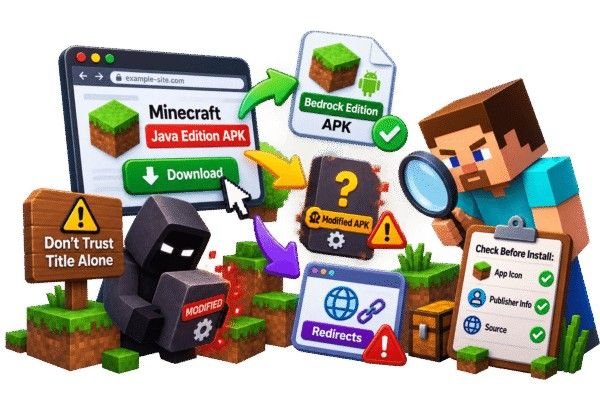
A download labelled “Java Edition APK” can mean very different things. Some pages simply rename the Android version, while others package a modified file or redirect users toward another download. Before installing anything, check the actual app, publisher information and source instead of trusting the title alone.
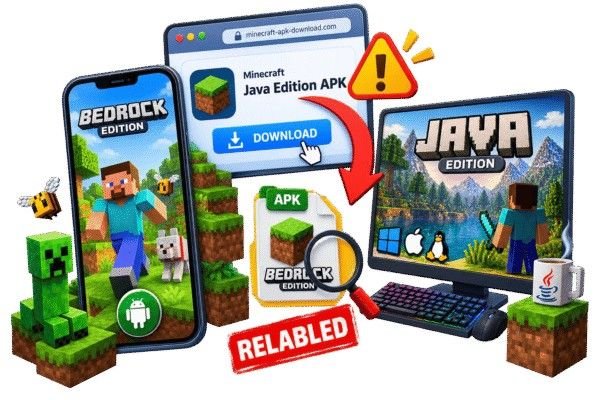
Relabeled Bedrock Edition
Some pages advertising a “Java Edition APK” don’t even contain a Minecraft-related file. Instead, the download turns out to be a completely different app, an ad-loaded installer, or a random archive with no connection to the game. Always verify the file type and source before running anything on your device.
Unrelated Files
If your region blocks the Astute Beta Server, a proxy tool or VPN can get you past the restriction for downloading and installing. Just pick a reliable option that won’t slow down your internet speed.
PojavLauncher and Amethyst: The Real Way to Play Java Edition on Android
PojavLauncher became one of the best-known ways to run the Minecraft Java Edition APK on Android and iOS, but its original repository is now archived and the project has been discontinued. Amethyst is the successor project based on the same broader launcher lineage.
Amethyst is an open-source Minecraft Java Edition launcher designed for Android and iOS. It supports Minecraft versions and modding through ecosystems such as Forge and Fabric, depending on the supported configuration.
Understanding Amethyst Before You Install It
Three things worth knowing before treating any “Java APK” claim at face value.
How it differs from a fake “Java Edition APK”
A fake Minecraft Java Edition APK claims that the complete desktop game is packaged as an ordinary Android app.
A launcher takes a different approach: it provides the environment for running Java Edition on mobile and works with the Minecraft account and game files required for the experience.
What Amethyst actually does
Amethyst acts as a bridge between Android and Minecraft Java Edition. It provides the launcher environment needed to start compatible Java versions on a mobile device.
It can also support Java-focused customization, including Forge and Fabric mod setups, depending on the Minecraft version and configuration being used.
Is it legal and safe to use?
Amethyst is a third-party open-source launcher, not an official Mojang or Microsoft product. Its purpose is to launch Java Edition rather than provide a free copy of Minecraft.
For a safer setup, get the launcher from its official project source and use a legitimate Minecraft account rather than a repackaged launcher from an unknown website.
How to Install Amethyst Launcher (PojavLauncher’s Successor)
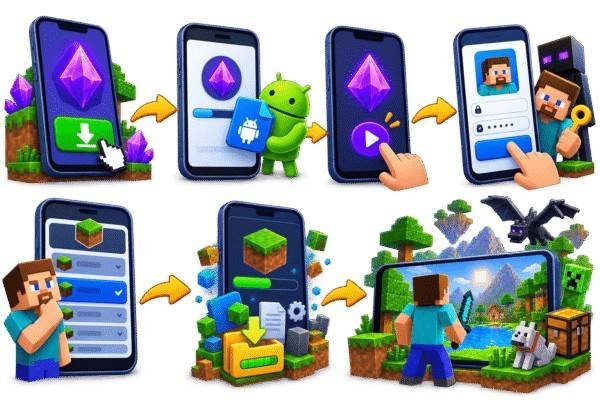
Installing Java Edition on Android is different from installing the regular Minecraft mobile app. You first set up a compatible launcher, then use it to access the Java Edition environment.
Amethyst’s own project documentation provides the current installation and setup information.
Where to Get It
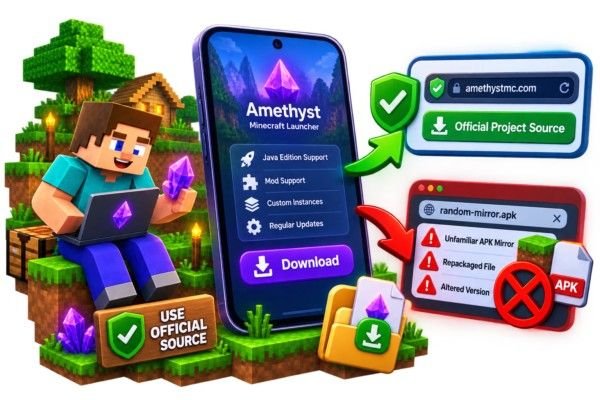
Download Amethyst from its official project source or release page rather than an unfamiliar APK mirror.
This gives you a better chance of getting the intended launcher version instead of an altered or repackaged file.
Installation Steps
What You’ll Need
You’ll need an Android device capable of handling the launcher, enough free storage for the launcher and game files, and a legitimate Minecraft account.
Performance depends heavily on your phone’s processor, GPU, RAM and the Minecraft settings you choose.

What to Expect: Performance and Limitations
Java Edition can work surprisingly well on capable Android hardware, but it isn’t the same experience as running the game natively on a PC.The launcher, Minecraft version, render distance, mods, shaders and your phone’s hardware can all affect performance.
Controls Take Some Getting Used To
Java is designed around keyboard and mouse controls. Touch works for casual gameplay, while a keyboard, mouse or controller can improve precision.
It’s Not Officially Affiliated With Mojang
Amethyst is a third-party community launcher, not an official Mojang or Microsoft app. Use the project’s own source when downloading it.
Performance Depends Heavily on Your Device
Newer phones handle higher settings better. If performance drops, lower the render distance and graphics settings.
Mods and Shaders Work, With Limits
Amethyst supports Forge and Fabric setups, but heavy modpacks and shaders can put extra load on mobile devices.
Minecraft Java Edition vs Bedrock Edition — Which Should You Choose?
Java and Bedrock share the same basic Minecraft idea, but they’re built around different platforms and ecosystems.
Minecraft Java Edition vs Bedrock Edition
Compare the key differences between Java Edition and Bedrock Edition before choosing the version that fits your gaming style.
| Feature | Java Edition PC-focused experience | Bedrock Edition Multi-platform experience |
|---|---|---|
| Official Android App | × No | ✓ Yes |
| PC Support | Windows, macOS, Linux | Windows |
| Mobile Support | Through compatible launcher | Native |
| Modding | Extensive | Add-ons |
| Custom Servers | Strong Java ecosystem | Supported with different server ecosystem |
| Controls | Keyboard/mouse focused | Touch + controller support |
| Cross-platform Play | More limited | Broader cross-play |
Platform Availability
Java Edition is primarily associated with desktop platforms, while Bedrock is the version designed for mobile, console and supported Windows devices. On Android, Java Edition requires a compatible third-party launcher such as Amethyst rather than an official Minecraft Java Edition APK.
Modding and Customization
Java Edition is the stronger choice if you care about traditional mods, custom clients, technical changes and the wider Forge/Fabric ecosystem.
Bedrock focuses more on add-ons, resource packs, skins and Marketplace content.
Cross-Play and Multiplayer
Bedrock is generally the easier choice for players who want to connect across supported mobile, console and Windows platforms.
Java Edition has its own multiplayer ecosystem and isn’t directly interchangeable with standard Bedrock multiplayer.
Which Minecraft Edition Fits You?
Both editions offer the Minecraft experience, but their strengths are different. Here’s where Java and Bedrock stand out.
Performance & Controls
Through a mobile launcher, Java may require more configuration, but it provides access to the Java experience, mods and Java-specific servers.
Designed for a wide range of devices, including smartphones and consoles, with native mobile support.
The Simple Answer
Choose Java Edition
Choose Java Edition if your priority is mods, Java servers and the deeper PC-style Minecraft experience.
Best for mods & PC-style playChoose Bedrock Edition
Choose Bedrock Edition if you want native Android installation, easier cross-platform play and a simpler mobile setup.
Best for mobile & cross-playHow to Spot Fake Minecraft Java Edition APK Websites
A website claiming that Mojang officially released a normal Java Edition APK for Android is a major warning sign. Check the download source, claims, permissions and file behavior before installing anything.
Unrealistic Claims and Fake Downloads
Unrealistic Feature Claims
Be careful with promises of unlimited Minecoins, free premium content, unlocked features or the complete Java Edition in one APK. Such claims don’t prove that the file is genuine.
Suspicious Downloads and Redirects
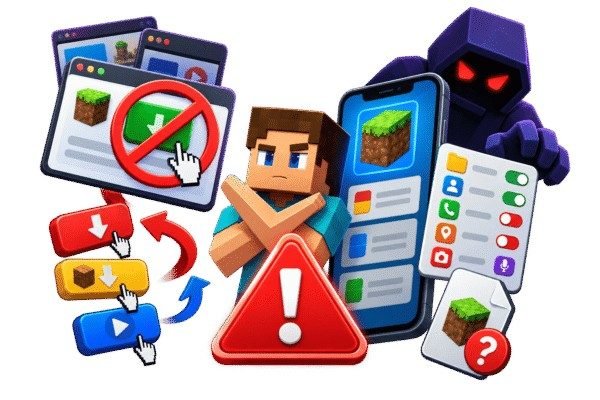
Multiple redirects, fake download buttons, surveys or unrelated files are strong warning signs. Also avoid sites using fake urgency such as “updated today” without reliable version information.
Check Permissions and File Details
A Minecraft launcher shouldn’t normally request unrelated access such as contacts, SMS or calls. Check the app name, version and requested permissions before installing. The Astute Beta Server needs a stable internet connection to link to the server, and offers only limited offline access for some features.
Verify the Source Before Downloading
Check the developer’s official project, repository or release information instead of relying on random APK websites. For Java Edition on Android, use a compatible launcher from its legitimate source.
What Players Say about our Mod Version
Realistic sample experiences from Minecraft players.
Sample reviews
FAQs
Is there an official Minecraft Java Edition APK for Android?
No. Mojang has never released Java Edition as an APK — Java Edition is sold for Windows, Mac, and Linux only. Any site offering a “Java Edition APK” is not offering an official product.
How can I play Java Edition on my phone?
The community-made PojavLauncher lets you run Java Edition on Android, but you must own a legitimate Minecraft account. Performance varies by device.
Where can I buy Minecraft Java Edition officially?
From the official website, minecraft.net. That is the only legitimate seller.
Can Java Edition and mobile (Bedrock) players play together?
Not natively — they are separate games. Some community server software can bridge the two, but it is not official.
Is Java Edition better than Pocket Edition?
It depends on what you want. Java has the biggest modding scene with thousands of free mods; Pocket/Bedrock is built for mobile and cross-play with consoles.